
The Ultimate Guide to Securing Your Social Media Accounts: Tips and Tricks
In today’s hyper-connected world, social media platforms are not just spaces for sharing life updates and connecting with friends; they are extensions of our digital identities. From personal memories to professional endeavors and even financial transactions, a significant portion of our lives is now intertwined with these online services. Consequently, the security of our social media accounts has become paramount. A compromised account can lead to a devastating breach of privacy, identity theft, financial loss, reputational damage, and even more sinister forms of cybercrime. Understanding the importance of securing these digital cornerstones of our lives is the first and most crucial step towards safeguarding ourselves online. This guide aims to equip you with the knowledge and practical strategies needed to fortify your social media presence against the ever-evolving landscape of digital threats.
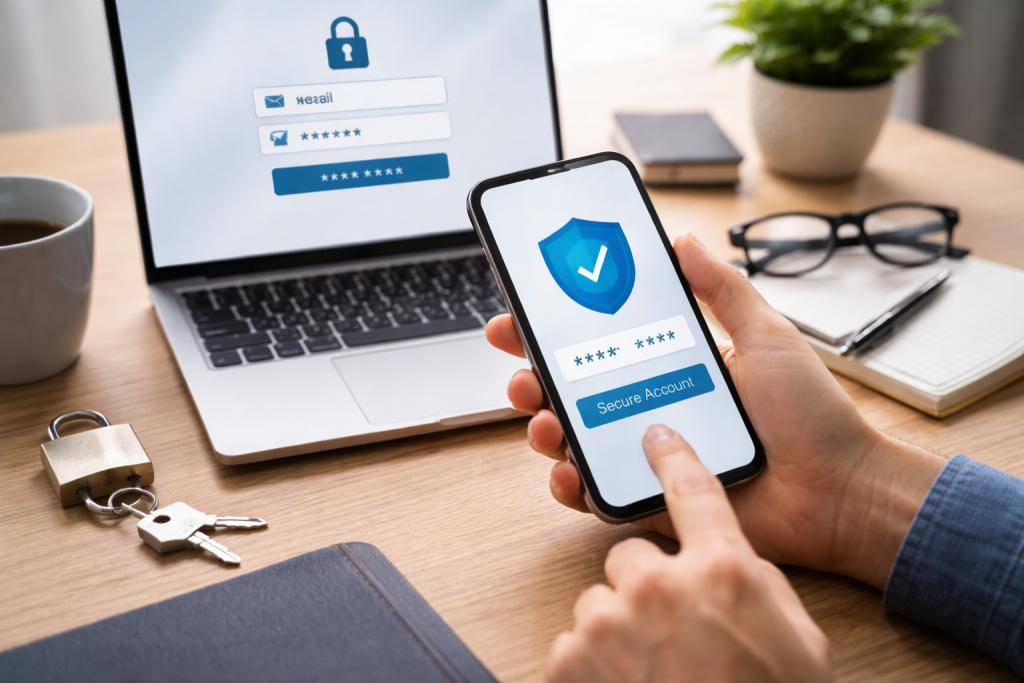
The rationale behind prioritizing social media security extends far beyond mere inconvenience. Imagine the fallout from a hacked account where personal photos, private messages, sensitive contact information, and even financial details are exposed to malicious actors. The ramifications can be profound and long-lasting. For individuals, the emotional distress and reputational harm can be severe. A compromised account could be used to spread misinformation, impersonate you to your contacts, or engage in fraudulent activities, all of which can stain your digital and real-world relationships.
Businesses and professionals face even greater risks. A hacked business social media page can be used to disseminate false product information, damage brand reputation, or siphon off customer data. The financial implications here can be staggering, leading to lost revenue, legal liabilities, and a complete erosion of customer trust. Furthermore, in an era where many online services link directly to social media accounts for login purposes, the compromise of one platform can become a domino effect, unlocking access to a multitude of other sensitive online presences. Therefore, viewing social media security as optional is no longer a viable approach; it is an absolute necessity for digital well-being.
Contents
- 0.1 Personal Privacy in the Digital Age
- 0.2 Protecting Your Digital Reputation
- 0.3 Preventing Financial Fraud and Identity Theft
- 0.4 Malware and Viruses
- 0.5 The Anatomy of a Strong Password
- 0.6 The Perils of Password Reuse
- 0.7 Password Managers: Your Digital Lifeline
- 0.8 How Two-Factor Authentication Works
- 0.9 Leveraging Authenticator Apps
- 0.10 The Importance of SMS-Based 2FA
- 0.11 The Art of Deception: What to Look For
- 0.12 Verifying the Source: The Crucial Step
- 0.13 What to Do If You Suspect a Phishing Attempt
- 0.14 Tailoring Your Audience: Who Sees What
- 0.15 Managing App Permissions
- 0.16 Understanding Data Usage Policies
- 0.17 Reviewing Login Activity
- 0.18 Updating Your Information and Security Settings
- 0.19 Staying Informed About Platform Updates and Security Advisories
- 1 FAQs
- 1.1 1. Why is it important to secure your social media accounts?
- 1.2 2. What are some common social media security threats?
- 1.3 3. What are some tips for creating strong and unique passwords for social media accounts?
- 1.4 4. How can two-factor authentication be used to protect social media accounts?
- 1.5 5. What is the role of privacy settings in social media security?
Personal Privacy in the Digital Age
Our social media accounts are repositories of deeply personal information. The photos we share, the thoughts we express, and the connections we forge all contribute to a digital footprint that, if mishandled, can be exploited. Protecting this information ensures that our personal lives remain private, shielding us from unwanted intrusion and the potential misuse of our data.
Protecting Your Digital Reputation
Your online presence is often the first impression you make on others, whether for personal or professional reasons. A compromised account can be used to post offensive content, spread rumors, or engage in unethical behavior, all of which can severely damage your hard-earned reputation. Securing your accounts is akin to protecting your good name in the digital sphere.
Preventing Financial Fraud and Identity Theft
Many social media platforms integrate with payment services or store sensitive billing information. A security breach can expose this data, making you vulnerable to financial fraud and identity theft. Furthermore, your social media contacts could be targeted for scams if your account is used as a launching pad.
Understanding the adversary is crucial in the fight for digital security. Social media platforms are fertile ground for a variety of nefarious activities, each with its own set of tactics and objectives. Being aware of these common threats allows you to recognize them when they appear and take proactive measures to defend yourself. These threats range from simple password guessing to sophisticated social engineering ploys.
Malware and Viruses
Malicious software can infiltrate your devices, often through deceptive links or infected downloads shared on social media. Once installed, malware can steal your login credentials, track your online activity, or even lock your device for ransom.
Phishing and Spear-Phishing
Phishing attacks are designed to trick you into revealing sensitive information like passwords or credit card details by pretending to be a legitimate entity. Spear-phishing is a more targeted version, where attackers research their victims to craft personalized and highly convincing scams.
This involves attackers gaining direct control of your account through various means, such as exploiting weak passwords, using stolen credentials, or exploiting vulnerabilities in the platform itself. The goal is usually to impersonate you, steal data, or spread malicious content.
Bots and Fake Accounts
Automated programs, or bots, are often used to create fake profiles, spread spam, and engage in coordinated disinformation campaigns. These can flood your feed with irrelevant content or try to manipulate public opinion.
In the realm of digital security, your password is the gatekeeper to your online life. Yet, paradoxically, it’s often the weakest link. The temptation to use simple, memorable passwords or to reuse the same password across multiple accounts is a hacker’s dream. Implementing a robust password strategy is fundamental to preventing unauthorized access.
The Anatomy of a Strong Password
A strong password is not just a random collection of characters; it’s a strategic defense. It should be long, typically at least 12 characters, and incorporate a mix of uppercase and lowercase letters, numbers, and symbols. The more complex your password, the harder it is for brute-force attacks to guess. Avoid using easily identifiable information such as your name, birthday, or common words found in dictionaries.
The Perils of Password Reuse
Using the same password for all your online accounts is akin to leaving all your doors unlocked with the same key. If one account is compromised, every other account secured with that same password becomes instantly vulnerable. This domino effect can cascade into widespread identity theft and financial ruin.
Password Managers: Your Digital Lifeline
Manually creating and remembering unique, strong passwords for every online service is a daunting task. This is where password managers come into play. These secure applications generate highly complex passwords and store them in an encrypted vault, accessible only with a single master password. This eliminates the need to memorize dozens of complex credentials, significantly bolstering your security posture.
While a strong password is essential, it’s not always enough to thwart determined attackers. This is where Two-Factor Authentication (2FA), also known as Multi-Factor Authentication (MFA), steps in as a vital layer of protection. 2FA requires users to provide two distinct forms of verification to gain access to their accounts, making it significantly harder for unauthorized individuals to log in, even if they have your password.
How Two-Factor Authentication Works
At its core, 2FA leverages two different categories of authentication factors: something you know (your password), something you have (a physical device), or something you are (biometric data). When you log in, after entering your password, you’ll be prompted for a second verification, such as a code sent to your phone via SMS or an authenticator app, or a fingerprint scan.
Leveraging Authenticator Apps
Authenticator apps, such as Google Authenticator or Authy, offer a more secure and convenient alternative to SMS-based 2FThese apps generate time-based one-time passcodes (TOTP) that refresh every 30-60 seconds. This method is generally considered more secure than SMS as it bypasses potential vulnerabilities associated with cell carrier interception.
The Importance of SMS-Based 2FA
While authenticator apps are often preferred, SMS-based 2FA is still a significant enhancement over password-only security. Many platforms offer this option, which sends a temporary code to your registered mobile number. It’s crucial to ensure your phone number is up-to-date with your social media accounts.
Phishing attacks are among the most pervasive and insidious security threats on social media today. They prey on human psychology, leveraging deception and urgency to trick individuals into divulging sensitive information. Recognizing the telltale signs of a phishing scam is your primary defense.
The Art of Deception: What to Look For
Phishing messages often impersonate legitimate organizations, such as your social media platform, a bank, or a popular online service. They typically create a sense of urgency, claiming your account is at risk or that you’ve won a prize, prompting you to click on a link or download an attachment. These messages often contain typos, grammatical errors, or generic greetings rather than personal salutations.
Verifying the Source: The Crucial Step
Before clicking on any link or providing any information, always verify the legitimacy of the sender. Hover over links to see the actual URL destination without clicking. Be wary of suspicious email addresses or sender profiles. If a message claims to be from a well-known company, visit their official website directly by typing the URL into your browser, rather than clicking a link in the suspicious message.
What to Do If You Suspect a Phishing Attempt
If you receive a suspicious message, do not engage with it further. Do not click any links or download any attachments. Instead, report the message to the social media platform if you can, or delete it. If you have accidentally clicked on a link or provided information, immediately change your password for that account and any other accounts that use the same password, and monitor your accounts for any unauthorized activity.
Social media platforms offer a comprehensive suite of privacy settings designed to control who sees your information and how your data is used. These settings are not just a formality; they are a critical component of your overall security strategy. Effectively configuring these options can significantly minimize your exposure to unwanted attention and potential security risks.
Tailoring Your Audience: Who Sees What
Most platforms allow you to define different privacy levels for your posts, profile information, and friend lists. Take the time to understand these options and set them according to your comfort level. Limiting who can see your personal details, such as your birthday or location, can make you a less attractive target for social engineering attacks.
Managing App Permissions
When you grant third-party applications access to your social media accounts, they can gain access to a significant amount of your personal data. Regularly review the apps that have permission to access your accounts and revoke access for any that you no longer use or trust.
Understanding Data Usage Policies
Each social media platform has its own data usage policies. Familiarize yourself with how your data is collected, stored, and shared. This knowledge empowers you to make informed decisions about your online presence and to advocate for your privacy where necessary.
Securing your social media accounts is not a one-time setup; it’s an ongoing process that requires regular attention and proactive maintenance. The digital landscape is constantly evolving, with new threats and vulnerabilities emerging regularly. Staying vigilant and committed to regular monitoring is essential to ensure your accounts remain protected.
Reviewing Login Activity
Most social media platforms provide a feature that allows you to review recent login activity. Regularly checking this section can alert you to any unauthorized access attempts or sessions from unfamiliar devices or locations. If you see anything suspicious, take immediate action to secure your account.
Updating Your Information and Security Settings
Ensure that your contact information, such as your email address and phone number, is always up-to-date within your social media accounts. This is crucial for password recovery and receiving security alerts. Periodically revisit your privacy and security settings to ensure they align with your current needs and preferences.
Staying Informed About Platform Updates and Security Advisories
Social media platforms frequently release updates to their services, which often include security enhancements. Pay attention to announcements and advisories from your chosen platforms regarding security best practices and potential threats. Staying informed allows you to adapt your security measures accordingly. By consistently applying these tips and tricks, you can significantly enhance the security of your social media accounts, protecting your digital life from the ever-present threats of the online world.
FAQs
It is important to secure your social media accounts to protect your personal information, prevent unauthorized access, and avoid falling victim to cyber threats such as identity theft, phishing scams, and malware.
Common social media security threats include phishing scams, malware attacks, identity theft, account hacking, and unauthorized access to personal information.
Some tips for creating strong and unique passwords include using a combination of letters, numbers, and special characters, avoiding easily guessable information such as birthdays or names, and using different passwords for each social media account.
Two-factor authentication adds an extra layer of security to social media accounts by requiring a second form of verification, such as a code sent to a mobile device, in addition to the password.
Privacy settings allow users to control who can see their posts, personal information, and contact details, thereby reducing the risk of unauthorized access and protecting their online privacy. Regular monitoring and maintenance of social media accounts is essential to ensure that privacy settings are up to date and effective.

Welcome to The Tech Instruct, your trusted platform for simple, practical, and beginner-friendly technology learning.