
The ABCs of Computer Networks: A Simple Guide for Beginners
In an increasingly interconnected world, understanding the fundamental principles of computer networks is no longer just for IT professionals. From streaming your favorite shows to conducting global business, networks are the invisible threads that weave our digital lives together. This comprehensive guide will demystify the complexities of computer networks, offering an accessible entry point for beginners and a deeper dive into their various facets.
Contents
- 0.1 Understanding the Basics of Computer Networks
- 0.2 Types of Computer Networks: A Comprehensive Overview
- 0.3 The Importance of Computer Networks in Today’s World
- 0.4 Key Components of a Computer Network
- 0.5 How to Set Up a Basic Computer Network
- 0.6 Common Issues and Troubleshooting in Computer Networks
- 0.7 The Future of Computer Networks: Emerging Technologies and Trends
- 1 FAQs
Understanding the Basics of Computer Networks
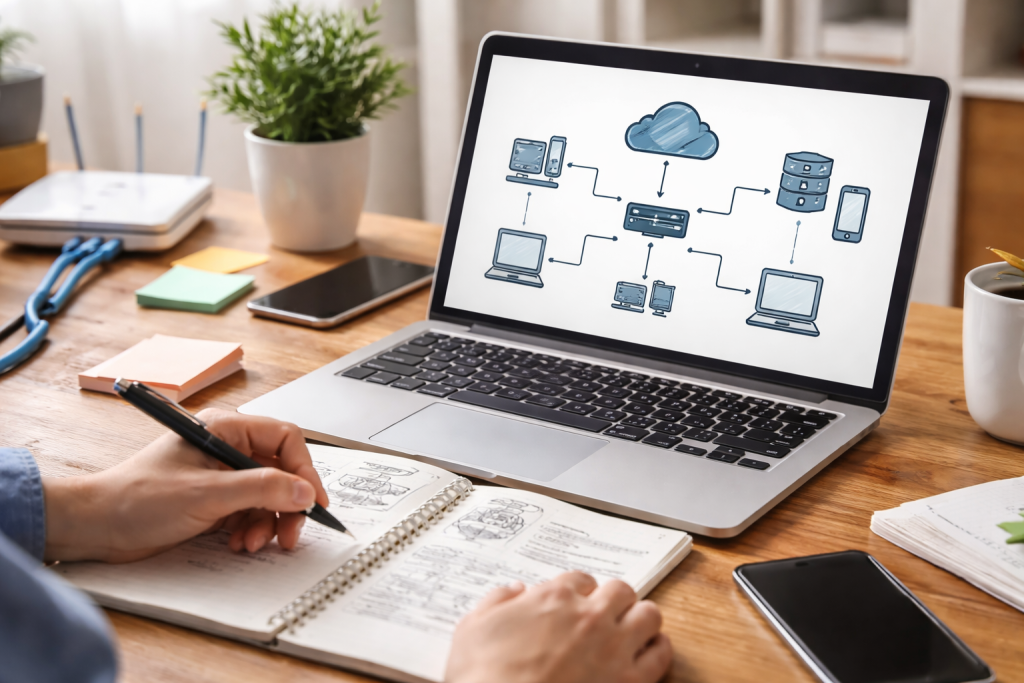
At its core, a computer network is a collection of interconnected computing devices that can exchange data and share resources. Imagine a group of people in a room, all able to talk to each other and pass notes around. In this analogy, the people are devices (computers, printers, smartphones), and the conversations or notes are data being exchanged. The primary purpose of a network is to facilitate this communication and resource sharing, leading to increased efficiency and collaboration.
The Fundamental Elements of Communication
For any communication to happen, several key elements must be present. First, there’s the sender, the device initiating the communication. Then, there’s the receiver, the device destined to receive the data. The information itself is the message, which could be anything from a simple text file to a complex video stream. To ensure the message arrives correctly, a set of rules, known as protocols, govern the communication. Furthermore, a transmission medium is required to carry the message, analogous to the air carrying sound waves or a road carrying vehicles. This medium can be physical, like cables, or wireless, like radio waves.
How Data Travels Across a Network
When you send an email, it doesn’t travel as one giant block. Instead, it’s broken down into smaller, manageable chunks called packets. Each packet contains a portion of the data along with header information, including the sender’s and receiver’s addresses. These packets then scurry across the network independently, often taking different paths, like individual cars on a highway. Once they arrive at their destination, they are reassembled in the correct order to reconstruct the original message. This packet-switching technique is highly efficient and resilient, as even if one path is blocked, the packets can find alternative routes.
Types of Computer Networks: A Comprehensive Overview
Networks come in various shapes and sizes, each designed for specific purposes and geographical scopes. Understanding these distinctions is crucial for appreciating the vastness and versatility of network technology.
Local Area Networks (LANs)
A Local Area Network (LAN) connects devices within a relatively small, confined geographical area, such as a home, office building, or school campus. Think of your home Wi-Fi network – that’s a classic example of a LAN. LANs typically offer high data transfer rates and are owned and managed by a single organization or individual. They enable devices to share resources like printers, scanners, and internet connections, fostering a collaborative environment within a localized space.
Wide Area Networks (WANs)
Spanning larger geographical areas, from cities to entire continents, are Wide Area Networks (WANs). The most prominent example of a WAN is the internet itself. WANs connect multiple LANs, allowing for communication and data exchange across vast distances. Unlike LANs, WANs often rely on public telecommunications infrastructure, such as fiber optic cables, satellite links, and cellular networks. They are essential for global businesses, interconnected government agencies, and the worldwide web as we know it.
Other Significant Network Types
Beyond LANs and WANs, several other network types cater to specialized needs. A Metropolitan Area Network (MAN) covers an area larger than a LAN but smaller than a WAN, typically a city or large campus. It often connects multiple LANs within that area. Personal Area Networks (PANs), on the other hand, are the smallest networks, connecting devices around a single person, such as a Bluetooth headset paired with a smartphone. Finally, Storage Area Networks (SANs) are dedicated networks primarily designed to provide high-speed access to shared data storage devices, crucial for data centers and large enterprises.
The Importance of Computer Networks in Today’s World
It’s hard to overstate the impact and importance of computer networks in our modern society. They are the backbone of virtually every aspect of our digital lives, driving innovation, facilitating communication, and shaping the global economy.
Enabling Global Communication and Collaboration
Networks have collapsed geographical barriers, making instantaneous communication and collaboration across continents a reality. From video conferencing with international colleagues to instant messaging with friends and family worldwide, networks foster unprecedented levels of interconnectedness. This has profound implications for global business, education, and social interaction, promoting diverse perspectives and shared understanding.
Driving Economic Growth and Innovation
The internet, the ultimate network, has fueled entirely new industries and business models. E-commerce, cloud computing, and social media platforms are just a few examples of sectors that wouldn’t exist without ubiquitous network access. Networks facilitate supply chain management, data analysis, and remote work, leading to increased productivity and efficiency across all industries. They are also critical for research and development, allowing scientists and innovators to share data and collaborate on groundbreaking discoveries.
Access to Information and Entertainment
The sheer volume of information available at our fingertips today is a direct result of interconnected networks. News, educational resources, research papers, and creative content are all just a click away. Furthermore, networks power the vast entertainment industry, enabling streaming services, online gaming, and digital content distribution, transforming how we consume media and spend our leisure time.
Key Components of a Computer Network
To build and operate a network, several essential hardware and software components work in harmony. Understanding these components is crucial for anyone looking to set up or troubleshoot a network.
Network Hardware Essentials
At the physical layer, devices like routers act as traffic cops, directing data packets between different networks. They intelligently decide the best path for data to travel. Switches, on the other hand, connect multiple devices within the same network, efficiently directing data to the intended recipient. A modem translates signals from your internet service provider (ISP) into a format your router can understand, acting as the gateway to the wider internet. Then there are network interface cards (NICs), which are hardware components within devices that allow them to connect to a network, whether wired or wireless. Finally, cables, such as Ethernet cables, provide the physical medium for data transmission in wired networks.
Network Software and Protocols
Beyond the physical hardware, software is equally vital. Network operating systems (NOS) manage network resources, user access, and security. Protocols are sets of rules that govern how data is formatted, transmitted, and received. Key protocols include TCP/IP (Transmission Control Protocol/Internet Protocol), the foundation of the internet, which ensures reliable data delivery and addressing. HTTP (Hypertext Transfer Protocol) is used for accessing web pages, while FTP (File Transfer Protocol) facilitates file transfers. These protocols ensure seamless communication between diverse devices and systems across the network.
How to Set Up a Basic Computer Network
Setting up a basic network, especially for a home or small office, is now more straightforward than ever before. Here’s a simplified guide to get you started.
Planning Your Network Layout
Before even touching any equipment, consider your needs. How many devices will connect? Where will they be located? Do you primarily need wired or wireless connectivity? Sketching out a simple diagram of your space and where devices will be is a helpful first step. Identify potential signal dead zones for Wi-Fi and consider where power outlets are located.
Connecting Your Devices
The typical setup starts with your modem, connected to your ISP’s line. Then, connect your router to the modem via an Ethernet cable. Your computers, printers, and other devices can then connect to the router, either wirelessly via Wi-Fi or directly with Ethernet cables. For wired connections, simply plug one end of an Ethernet cable into your device’s NIC and the other into an available port on your router. For wireless, you’ll typically find the Wi-Fi network name (SSID) and a password on the router itself, or in the accompanying documentation.
Configuring Network Settings
Once connected, you may need to configure some basic settings. Most modern routers have a web-based interface accessible through a web browser by typing in the router’s IP address (often found on a sticker on the router). Here, you can change the Wi-Fi name and password, set up guest networks, and configure security settings. It’s crucial to change the default admin password for your router to prevent unauthorized access. Always enable strong encryption like WPA2 or WPA3 for your wireless network.
Common Issues and Troubleshooting in Computer Networks
Even the most robust networks can encounter issues. Knowing how to identify and address common problems can save you considerable frustration.
Diagnosing Connectivity Problems
“No internet” is a common complaint. Start by checking the physical connections: are all cables securely plugged in? Look at the indicator lights on your modem and router; they often provide visual cues about their status. A blinking light might indicate data activity, while a solid red light usually signals a problem. Try restarting your modem and router; often, a simple reboot can resolve temporary glitches. If the problem persists, try connecting directly to the modem with a single device to isolate whether the issue is with your router or the internet service itself.
Addressing Slow Network Performance
Slow internet or network data transfer can be due to various factors. Bandwidth congestion occurs when too many devices are simultaneously using the network, especially for demanding tasks like streaming or gaming. Consider upgrading your internet plan or reducing the number of active devices. Weak Wi-Fi signals can also be a culprit, particularly in larger homes or areas with obstacles. Repositioning your router, using Wi-Fi extenders, or upgrading to a mesh Wi-Fi system can improve signal strength. Outdated or faulty network drivers on your devices can also impact performance, so ensure they are up to date.
Security Concerns and Solutions
Network security is paramount. Unauthorized access can occur if your Wi-Fi password is weak or your router’s default login credentials haven’t been changed. Use strong, unique passwords for both. Malware and viruses can compromise networked devices, so always use reputable antivirus software and firewalls. Phishing attempts and suspicious links can lead to credential theft, so exercise caution when opening emails or clicking on unfamiliar websites. Regularly updating your router’s firmware is also crucial, as manufacturers often release updates to patch security vulnerabilities.
The Future of Computer Networks: Emerging Technologies and Trends
The landscape of computer networks is constantly evolving, driven by innovation and the ever-increasing demand for faster, more reliable, and more intelligent connectivity.
5G and Beyond: Transforming Wireless Connectivity
The rollout of 5G technology is revolutionizing wireless communication, promising significantly faster speeds, lower latency, and greater capacity than previous generations. This will unlock new possibilities for mobile broadband, the Internet of Things (IoT), and applications requiring real-time responsiveness, such as autonomous vehicles and remote surgery. The advancements beyond 5G, often referred to as “6G,” are already being researched, aiming for even more immersive experiences and deeper integration of AI.
The Rise of IoT and Edge Computing
The Internet of Things (IoT), where everyday objects are embedded with sensors and connected to the internet, is generating an unprecedented volume of data. To process this data efficiently and reduce latency, edge computing is gaining prominence. Edge computing processes data closer to its source, rather than sending it all to a centralized cloud. This distributed approach reduces bandwidth usage, enhances real-time decision-making, and improves privacy for sensitive data generated by IoT devices.
Network Automation and AI Integration
Managing complex networks manually is becoming increasingly challenging. Network automation, powered by artificial intelligence (AI) and machine learning (ML), is emerging as a solution. AI can analyze network traffic patterns, predict potential issues, and even self-heal the network by automatically configuring devices and optimizing performance. This shift towards intelligent, self-managing networks will reduce operational costs, enhance reliability, and free up human administrators to focus on more strategic tasks. The future of networks promises a dynamic, responsive, and highly interconnected world, continuously adapting to our evolving needs.
FAQs
1. What is a computer network?
A computer network is a collection of interconnected devices, such as computers, printers, and servers, that can communicate and share resources with each other. This communication can be wired or wireless, and it allows for the sharing of data, information, and resources among the connected devices.
2. What are the different types of computer networks?
There are several types of computer networks, including local area networks (LANs), which are confined to a small geographic area; wide area networks (WANs), which connect devices over a larger geographic area; and wireless networks, which use radio waves to connect devices without the need for physical cables.
3. What are the key components of a computer network?
The key components of a computer network include devices such as computers, routers, switches, and access points, as well as the cables, wireless signals, and protocols that enable communication between these devices. Additionally, network software and security measures are essential components of a computer network.
4. How do you set up a basic computer network?
Setting up a basic computer network involves connecting devices using cables or wireless connections, configuring network settings on each device, and ensuring that the devices can communicate with each other. This may also involve setting up a router or switch to manage the network traffic and provide internet access.
5. What are some common issues and troubleshooting methods in computer networks?
Common issues in computer networks include slow network speeds, connectivity problems, and security breaches. Troubleshooting methods may involve checking physical connections, resetting network devices, updating software and firmware, and implementing security measures such as firewalls and encryption.

Welcome to The Tech Instruct, your trusted platform for simple, practical, and beginner-friendly technology learning.