
Unlocking the Power of Two-Factor Authentication: A Complete Guide
In today’s interconnected world, where our digital lives intertwine with every aspect of our existence, safeguarding our online accounts has become paramount. From banking and social media to email and cloud storage, nearly every service we use possesses sensitive information that, if compromised, could lead to significant financial loss, identity theft, or a breach of privacy. While strong passwords are a foundational step, they are no longer enough to withstand the sophisticated tactics of modern cybercriminals. This is where Two-Factor Authentication (2FA) steps in as a vital, often indispensable, layer of defense.
Contents
- 0.1 What is Two-Factor Authentication?
- 0.2 The Importance of Two-Factor Authentication
- 0.3 How Two-Factor Authentication Works
- 0.4 Types of Two-Factor Authentication
- 0.5 Setting Up Two-Factor Authentication
- 0.6 Best Practices for Two-Factor Authentication
- 0.7 Common Misconceptions about Two-Factor Authentication
- 1 FAQs
What is Two-Factor Authentication?
Two-Factor Authentication, often abbreviated as 2FA, is a security measure that requires two distinct forms of identification before granting access to an online account or system. Think of it as adding an extra lock to your digital front door. Instead of just needing a key (your password), you also need a separate, unique mechanism to gain entry. This “two-factor” approach significantly increases the difficulty for unauthorized individuals to access your accounts, even if they manage to steal or guess your primary password.
Beyond Just a Password
At its core, 2FA operates on the principle of requiring something you know (your password) and something you have (like your phone or a physical token) or something you are (like your fingerprint). This multi-layered approach creates a robust barrier against a wide array of cyber threats, from phishing attacks that trick you into revealing your password to brute-force attacks that systematically guess combinations.
The “Factors” Explained
The “factors” in 2FA refer to distinct categories of authentication credentials. These categories are crucial for understanding how 2FA works and why it’s so effective. Traditionally, these factors are:
- Knowledge Factor (Something You Know): This is the most common factor and typically refers to your password, PIN, or a secret question’s answer. It relies on information that only the legitimate user is expected to know.
- Possession Factor (Something You Have): This factor involves an item physically in your possession. This could be your smartphone receiving a one-time code via SMS, a hardware security key (like a YubiKey), a smart card, or a token generator that produces unique codes.
- Inherence Factor (Something You Are): This is based on unique biological attributes of the user. Biometric authentication falls into this category, including fingerprints, facial recognition, iris scans, and voice recognition.
By combining at least two of these distinct factors, 2FA ensures that even if one factor is compromised, the attacker still lacks the other piece of the puzzle necessary for gaining access.
The Importance of Two-Factor Authentication
The digital landscape is fraught with perils, and the proliferation of data breaches highlights the urgent need for enhanced security measures. Simply put, 2FA is no longer an optional extra; it’s a fundamental requirement for securing your digital life. Its importance stems from several critical areas.
Protecting Against Password Theft
Perhaps the most significant benefit of 2FA is its efficacy in safeguarding against password theft. Whether through sophisticated phishing campaigns, malware infections, or large-scale data breaches that expose millions of credentials, passwords are constantly under attack. Even the strongest, most complex password can be compromised. With 2FA enabled, even if a perpetrator obtains your password, they will be unable to log in without the second factor, which they typically won’t possess.
Mitigating Identity Theft Risks
Our online accounts often hold the keys to our identities. Email accounts contain sensitive communication, banking portals manage our finances, and social media profiles paint a picture of our personal lives. Unauthorized access to any of these can lead to devastating consequences, including financial fraud, credit score damage, and reputational harm. 2FA serves as a robust shield, making it significantly harder for criminals to impersonate you online and exploit your personal information.
Complying with Security Regulations
In many industries and regions, implementing strong authentication measures like 2FA is no longer just good practice but a regulatory requirement. From financial institutions under GDPR or PCI DSS to healthcare providers adhering to HIPAA, diverse sectors are mandated to protect customer and patient data with enhanced security protocols. Adopting 2FA helps organizations meet these compliance standards, mitigating legal and financial risks associated with data breaches.
How Two-Factor Authentication Works
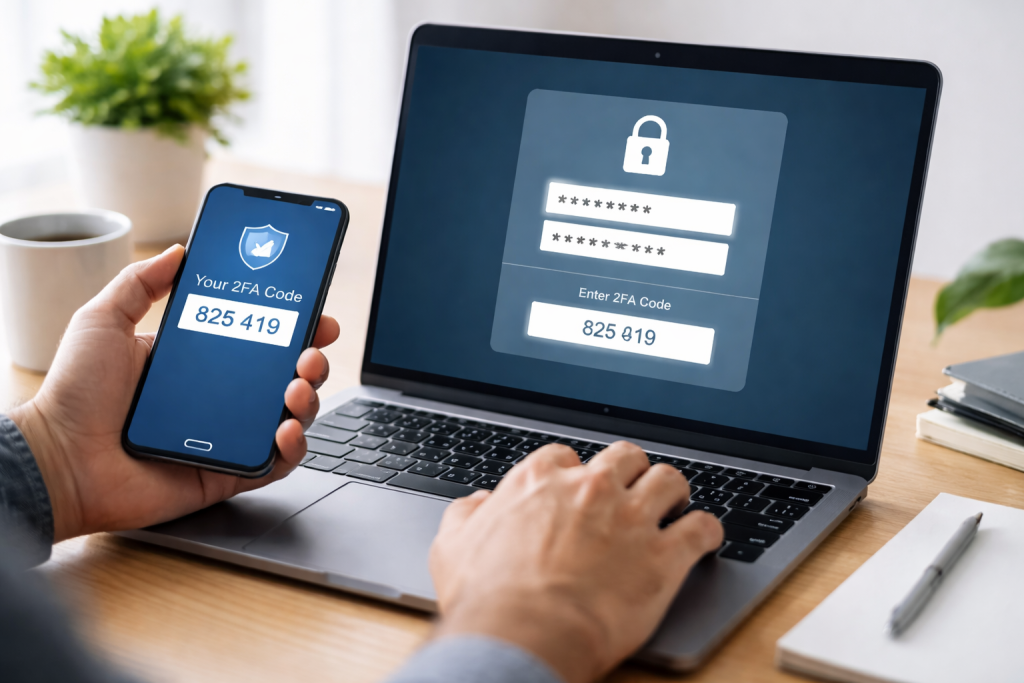
The underlying mechanism of 2FA is designed for simplicity from the user’s perspective, yet incredibly complex and secure behind the scenes. When you attempt to log in to an account with 2FA enabled, the process typically unfolds in a series of steps.
The Initial Login Attempt
The process begins as usual. You navigate to the login page of your desired service and enter your username and password. This represents the first factor – something you know. The service then authenticates this initial set of credentials.
Requesting the Second Factor
If your password is correct, instead of directly granting access, the system then initiates a request for the second factor. This is where the different types of 2FA come into play, as the method of prompting for the second factor will vary. The system might send a code to your registered mobile device, prompt you to touch a physical security key, or ask for a biometric scan.
Verification and Access
You then provide this second piece of information. The system verifies this second factor against what it expects. If both factors match and are successfully authenticated, you are granted access to your account. This two-step verification process ensures that only legitimate users, possessing both the knowledge and the possession/inherence factors, can gain entry.
Types of Two-Factor Authentication
While the core principle remains the same, 2FA manifests in various forms, each offering different levels of convenience and security. The choice of 2FA type often depends on the service provider and your personal preferences.
SMS-Based Codes (OTP via SMS)
One of the most common and widely adopted forms of 2FA involves receiving a One-Time Password (OTP) via SMS to your registered mobile phone. After entering your password, a unique code is sent to your phone, which you then input into the login screen. While convenient, this method is susceptible to SIM-swapping attacks, where criminals trick carriers into transferring your phone number to their control.
Authenticator Apps
More secure than SMS codes are authenticator apps, such as Google Authenticator, Microsoft Authenticator, or Authy. These apps generate time-based one-time passwords (TOTPs) directly on your device, without relying on network connectivity for delivery. The codes refresh every 30-60 seconds, making them difficult for attackers to intercept or reuse.
Hardware Security Keys
Considered one of the most secure forms of 2FA, hardware security keys are physical devices, often resembling a USB stick. When prompted, you plug the key into your computer or tap it against your phone (if NFC-enabled) to authenticate. These keys use strong cryptographic protocols (like FIDO2/WebAuthn) and are resistant to phishing, man-in-the-middle attacks, and malware.
Biometric Authentication
Leveraging unique biological characteristics, biometric 2FA uses fingerprints, facial recognition, or iris scans as a second factor. These are often integrated into smartphones and laptops, offering a highly convenient and generally secure method. While highly convenient, the uniqueness of biometrics means a compromise could be more permanent, though a well-implemented system encrypts and securely stores this data.
Setting Up Two-Factor Authentication
Enabling 2FA is usually a straightforward process, though the exact steps may vary slightly depending on the service provider. Companies are increasingly making it easier for users to enhance their security.
Locating Security Settings
The first step is to log in to your account and navigate to the “Security” or “Account Settings” section. This is typically found under your profile icon, a gear icon, or a dropdown menu.
Finding the 2FA Option
Within the security settings, look for an option related to “Two-Factor Authentication,” “Two-Step Verification,” or “Login Verification.” Click on this option to begin the setup process.
Choosing Your Preferred Method
The service will then usually present you with available 2FA methods. You might be asked to choose between SMS codes, an authenticator app, or a hardware security key. Select the method that best suits your needs and security preferences.
Following On-Screen Instructions
Carefully follow the on-screen prompts to complete the setup. This often involves scanning a QR code with an authenticator app, entering a phone number for SMS codes, or registering your hardware key. It’s crucial to save any backup codes provided during this process; these are essential for regaining access if you lose your second factor.
Best Practices for Two-Factor Authentication
While enabling 2FA is a significant step, adhering to best practices ensures you maximize its effectiveness and minimize potential vulnerabilities.
Use Strong, Unique Passwords
2FA is a secondary defense, not a replacement for strong passwords. Always use complex, unique passwords for each of your accounts. A password manager can be an invaluable tool for this.
Prioritize Authenticator Apps or Hardware Keys
Wherever possible, opt for authenticator apps or hardware security keys over SMS-based 2FThese methods are generally more resistant to sophisticated attacks like SIM swapping.
Store Backup Codes Securely
When setting up 2FA, you are often provided with a set of backup codes. These codes are critical for regaining access to your account if you lose or damage your second factor device. Store them in a secure, offline location, such as a physical safe or an encrypted document, well away from your primary devices.
Enable 2FA on All Critical Accounts
Prioritize enabling 2FA on accounts that hold the most sensitive information: email, banking, cloud storage, social media, and any services linked to your payment details. Extend this to as many accounts as possible to create a comprehensive security posture.
Regularly Review Your Security Settings
Periodically check the security settings of your online accounts. Confirm that your 2FA methods are still active and that the contact information (like phone numbers) associated with them is up-to-date.
Common Misconceptions about Two-Factor Authentication
Despite its obvious benefits, several misconceptions occasionally deter users from adopting 2FAddressing these can help clarify its role and encourage wider adoption.
“It’s Too Complicated or Time-Consuming”
This is one of the most frequent objections. While there is an initial setup process, which usually takes only a few minutes, the day-to-day use of 2FA is often seamless. Authenticator apps generate codes almost instantly, and hardware keys provide single-touch verification. The minor inconvenience is a small price to pay for significant security gains.
“My Password is Strong Enough”
As discussed, even the strongest, most complex password can be compromised through various attack vectors that don’t involve guessing. A password alone is a single point of failure. 2FA creates a necessary redundancy.
“Only Large Corporations Need 2FA”
Cybercriminals do not discriminate. Individuals are often easier targets than large corporations, making them prime candidates for identity theft and financial fraud. Everyone, regardless of their online presence or perceived “importance,” benefits immensely from enabling 2FA.
“SMS 2FA is Perfectly Secure”
While SMS 2FA is better than no 2FA, it is not “perfectly secure.” Its vulnerability to SIM-swapping attacks makes it less robust than authenticator apps or hardware keys. Understanding this distinction is crucial for making informed security choices.
By understanding what Two-Factor Authentication is, how it works, and embracing best practices, individuals and organizations can significantly fortify their digital defenses in an increasingly perilous online world. It’s a fundamental step towards a more secure and resilient online experience.
FAQs
What is Two Factor Authentication?
Two Factor Authentication (2FA) is a security process that requires two different forms of identification in order to access an account or system. This typically involves something the user knows (like a password) and something the user has (like a smartphone or security token).
The Importance of Two Factor Authentication
Two Factor Authentication is important because it adds an extra layer of security to your accounts and helps protect against unauthorized access. It can help prevent identity theft, phishing attacks, and unauthorized account access.
How Two Factor Authentication Works
Two Factor Authentication works by requiring the user to provide two different types of identification before granting access to an account or system. This can include a combination of passwords, security questions, SMS codes, biometric data, or security tokens.
Types of Two Factor Authentication
There are several types of Two Factor Authentication, including SMS-based authentication, app-based authentication, hardware tokens, biometric authentication, and email-based authentication. Each type has its own strengths and weaknesses.
Setting Up Two Factor Authentication
Setting up Two Factor Authentication typically involves enabling it in your account settings, choosing a second form of identification (such as a smartphone or security token), and following the specific instructions provided by the service or platform you are using.

Welcome to The Tech Instruct, your trusted platform for simple, practical, and beginner-friendly technology learning.