
Mastering Password Security: 5 Easy Tips for Creating Strong Passwords
In today’s increasingly digital world, our online lives are intricately woven with a tapestry of accounts, from banking and social media to email and cloud storage. Each of these digital doors is secured by a password, acting as the first and often only line of defense against unauthorized access. The common misconception is that a password is just another alphanumeric string, easily forgotten and therefore prone to being simplistic. This mindset, however, has become a significant vulnerability in our personal and professional cybersecurity. Mastering password security is no longer an optional skill; it’s a fundamental necessity for protecting sensitive information and maintaining our digital well-being.
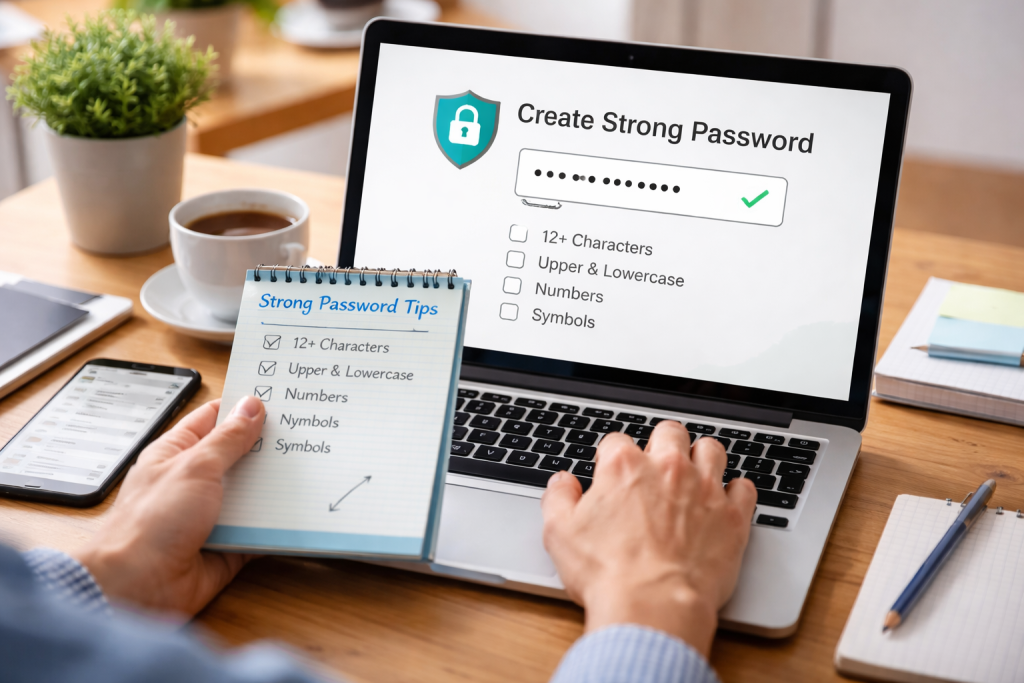
The primary purpose of a password is to authenticate your identity, proving that you are indeed the legitimate owner of an account. A weak password, however, is akin to leaving your front door unlocked, inviting potential intruders to rummage through your digital possessions. The consequences of such breaches can range from the inconvenience of identity theft and financial loss to the devastating exposure of personal secrets and the compromise of critical business data. Cybercriminals constantly employ sophisticated techniques, from brute-force attacks that systematically try every possible combination of characters to dictionary attacks that leverage lists of common words and phrases, all aimed at cracking weak passwords. A strong password acts as a formidable barrier, significantly increasing the time and resources required for these malicious actors to gain access, often to the point where their efforts are no longer worthwhile. It’s about building a resilient digital fortress that can withstand the relentless onslaught of cyber threats.
Contents
- 0.1 Understanding the Threat Landscape
- 0.2 The Ramifications of Compromised Accounts
- 0.3 Tip 1: Embrace the Power of Passphrases
- 0.4 Tip 2: Mix It Up with Character Variety
- 0.5 Tip 3: Prioritize Length Over Memorability (with a caveat)
- 0.6 Tip 4: Avoid Obvious and Personal Information
- 0.7 Tip 5: Think Randomly, Not Rationally
- 0.8 The Pitfalls of Predictable Patterns
- 0.9 The Temptation of Simplistic Passwords
- 0.10 Over-reliance on Personal Information
- 0.11 Using Common Phrases and Words
- 0.12 The Danger of Single-Character Replacements
- 0.13 The Art of the Random Phrase Generator
- 0.14 Integrating Unforeseen Symbols and Numbers
- 0.15 Employing a Thematic Approach (with caution)
- 0.16 Regularly Reviewing and Updating Passwords
- 0.17 The Necessity of Uniqueness Across Accounts
- 0.18 What is a Password Manager?
- 0.19 Generating Unbreakable Passwords
- 0.20 Secure Storage and Encryption
- 0.21 Auto-Filling for Convenience and Security
- 0.22 Beyond Passwords: Storing Other Sensitive Information
- 0.23 Understanding the Concept of Two-Factor Authentication
- 0.24 Common Forms of Second Factors
- 0.25 Why Two-Factor Authentication is Crucial
- 0.26 Implementing 2FA Across Your Accounts
- 0.27 The Trade-off: Convenience vs. Security
- 0.28 The Network Effect of Password Reuse
- 0.29 Credential Stuffing Attacks
- 0.30 Compromise of Sensitive Financial Information
- 0.31 Identity Theft and Its Far-Reaching Consequences
- 0.32 The Need for Uniqueness: A Non-Negotiable Rule
- 0.33 Continuous Learning and Awareness
- 0.34 Embracing New Technologies and Features
- 0.35 Regular Audits and Reviews
- 0.36 The Practice of Regular Password Updates
- 0.37 Educating Yourself and Others
- 1 FAQs
- 1.1 1. Why is it important to create strong passwords?
- 1.2 2. What are common mistakes to avoid when creating passwords?
- 1.3 3. What are some tips for creating complex and unique passwords?
- 1.4 4. How can password managers enhance security?
- 1.5 5. What is two-factor authentication and how does it add an extra layer of protection?
Understanding the Threat Landscape
The digital landscape is populated with individuals and organizations actively seeking to exploit vulnerabilities. These threats aren’t limited to shadowy figures in darkened rooms; they are automated processes and organized crime syndicates. Phishing attacks, malware, and data breaches are common occurrences that can expose or compromise your credentials. Even if you are not a high-profile target, your accounts can be swept up in mass data breaches, and if your password is weak, it’s an easy entry point for attackers looking to monetize your stolen information. The pervasive nature of these threats underscores the proactive stance required for proper password management.
The Ramifications of Compromised Accounts
The impact of a compromised account extends beyond the immediate breach. Stolen credentials can be used for further attacks, such as sending spam or malware to your contacts, impersonating you, or gaining access to other accounts where you might have reused the same password. For businesses, a single compromised account can lead to significant financial losses, reputational damage, and legal liabilities. The trust that clients and customers place in an organization is a valuable asset, and a security lapse can irrevocably erode it.
Developing strong passwords doesn’t necessitate being a cryptography expert. By adopting a few simple yet effective strategies, you can significantly enhance your password security. These methods aim to create passwords that are both difficult for computers to guess and relatively easy for you to remember, or at least manage. It’s about striking a balance between complexity and usability, ensuring that your defenses are robust without becoming an insurmountable burden on your daily digital interactions.
Tip 1: Embrace the Power of Passphrases
Instead of a single word or a short, easily guessable combination, think in terms of passphrases. A passphrase is a sequence of words, often strung together with spaces or punctuation, that forms a memorable sentence or phrase. For example, “My dog Sparky loves chasing squirrels in the park!” is far more secure than “sparky123”. The increased length and randomness make it exponentially harder for brute-force attacks to succeed. The key is to choose phrases that are personal and not found in common literature or easily discoverable about you.
Tip 2: Mix It Up with Character Variety
The most secure passwords incorporate a diverse range of characters. This includes uppercase letters, lowercase letters, numbers, and special symbols (like !, @, #, $, %, ^, &). Instead of simply replacing letters with numbers (e.g., ‘a’ with ‘4’), try to strategically sprinkle these different character types throughout your password. For instance, “Th!sIsMyS3cr3tP@$$w0rd!” is significantly stronger than “ThisIsMySecretPassword”. This intentional blending of character types significantly expands the potential password space that attackers must explore.
Tip 3: Prioritize Length Over Memorability (with a caveat)
While memorability is important, length is paramount when it comes to password strength. Aim for passwords that are at least 12-15 characters long, and ideally longer. A longer password provides more possibilities for each character, dramatically increasing the time it takes to crack. The caveat here is that for very long and complex passwords, relying solely on human memory can become impractical. This is where password managers become invaluable tools, allowing you to use extremely long and complex passwords without needing to memorize them.
Tip 4: Avoid Obvious and Personal Information
This might seem like common sense, but it’s a mistake many people still make. Refrain from using personal details that can be easily discovered through social media or publicly available information. This includes your name, birthdate, family members’ names, pet names, addresses, phone numbers, or any common dictionary words. Similarly, avoid sequential numbers or letters (e.g., “123456”, “abcdef”) or keyboard patterns (e.g., “qwerty”). These are the first things attackers will try.
Tip 5: Think Randomly, Not Rationally
When creating passwords, try to think in a way that is not easily predictable. Instead of trying to create a logical or meaningful sequence, try to generate random combinations of characters. This can be achieved through a passphrase approach with unusual word combinations or by using a password generator (often found within password manager applications). The goal is to introduce unpredictability that defies conventional guessing strategies.
Despite the readily available information on password security, certain habits persist, leaving individuals and organizations vulnerable. Recognizing these common pitfalls is the first step towards avoiding them and implementing more secure practices. These mistakes often stem from a lack of awareness or a tendency towards convenience over security, leading to easily exploitable weak points.
The Pitfalls of Predictable Patterns
One of the most prevalent mistakes is the use of predictable patterns. This includes using sequential numbers or letters (e.g., “123456”, “qwerty”), repeating characters (e.g., “aaaaaa”), or using common words from dictionaries. These are the low-hanging fruit for attackers, and a password composed of such predictable elements is effectively an open invitation to compromise.
The Temptation of Simplistic Passwords
The allure of simple, easy-to-remember passwords is undeniable. However, this ease of recall comes at a significant security cost. Short passwords, often consisting of a few characters, can be cracked in mere seconds by modern hacking tools. The perceived convenience is a false economy when weighed against the potential damage of a breached account.
Over-reliance on Personal Information
As mentioned, using personal information that can be easily researched is a critical error. This includes names, birthdays, anniversaries, pet names, or even the name of your favorite sports team. Cybercriminals often gather this information through social engineering or by accessing publicly available data, making your password a foregone conclusion.
Using Common Phrases and Words
While passphrases can be strong, using common or easily guessable phrases is not. Examples include “password123”, “12345678”, “iloveyou”, or well-known movie quotes. These are frequently found in pre-compiled lists of compromised passwords used in dictionary attacks.
The Danger of Single-Character Replacements
A common attempt at complexity involves simply replacing a letter with a number or symbol that looks similar (e.g., ‘a’ with ‘@’, ‘s’ with ‘$’, ‘i’ with ‘1’). While this adds a small degree of obscurity, it’s a well-known technique that automated tools can quickly decipher. True complexity involves a more random and diverse integration of character types.
Moving beyond the basic tips, let’s explore more advanced strategies for creating passwords that offer a superior level of security. The aim here is to build passwords that are not only lengthy and diverse but also truly unpredictable and unique to each account. This requires a more deliberate and thoughtful approach to password generation.
The Art of the Random Phrase Generator
While human creativity can generate some good passphrases, the most effective approach often involves using random phrase generators. These tools combine unrelated words in a random order to create memorable yet highly complex passphrases. For instance, a generator might produce something like “purple-cloud-jump-river”. This method ensures a high degree of randomness and length, making it exceptionally difficult to crack.
Integrating Unforeseen Symbols and Numbers
When creating your own unique passwords, go beyond simple letter-to-number substitutions. Think about how you can naturally integrate symbols and numbers in a way that doesn’t follow a predictable pattern. For example, instead of “Pass123!”, consider “pa$$w0rd!_@fun”. The key is to avoid common substitutions and create a sequence that appears more organically random.
Employing a Thematic Approach (with caution)
For some, a thematic approach can aid memorability. This might involve creating a sentence related to a personal interest but then deliberately corrupting it with random characters. For example, if you are a fan of a particular book, you might take a phrase from it and then heavily randomize it. However, this approach requires a high degree of personal discretion to ensure the original theme doesn’t inadvertently provide a clue.
Regularly Reviewing and Updating Passwords
Even strong passwords can become vulnerable over time, especially if they are used for extended periods. A proactive approach involves regularly reviewing and updating your most critical passwords, such as those for banking, email, and other sensitive accounts. This practice minimizes the window of opportunity for attackers if a password were to be compromised.
The Necessity of Uniqueness Across Accounts
Perhaps the most crucial aspect of complex and unique passwords is ensuring that each online account has its own distinct credential. Reusing passwords across multiple platforms is one of the biggest security blunders. If one account is breached, attackers can then systematically access all other accounts secured with the same compromised password. Think of it as using a skeleton key for all your digital doors – once one is picked, they all are.
The sheer volume of online accounts and the need for strong, unique passwords can quickly become overwhelming for human memory. This is where password managers step in, revolutionizing how we approach cybersecurity by storing and managing our credentials securely. They offer a robust solution to the complexity and logistical challenges of maintaining a strong password posture.
What is a Password Manager?
A password manager is essentially a secure digital vault that stores all your usernames and passwords for various online accounts. It encrypts this data, protecting it with a single, strong master password that you only need to remember. When you need to log into a website or application, the password manager can automatically fill in your credentials, saving you time and ensuring you are using a strong, unique password for that service.
Generating Unbreakable Passwords
One of the most significant benefits of using a password manager is its built-in password generator. These generators can create incredibly strong, random passwords of customizable length and complexity, incorporating uppercase and lowercase letters, numbers, and symbols. You can generate a new, unique password for every single account with just a few clicks, eliminating the temptation to create weaker, memorable ones.
Secure Storage and Encryption
Reputable password managers use robust encryption protocols (like AES-256) to protect your stored passwords. This means that even if someone were to gain access to the password manager file itself, the data would be indecipherable without the master password. The master password is the sole key to your digital vault, making its strength and secrecy absolutely critical.
Auto-Filling for Convenience and Security
The auto-fill feature of password managers streamlines the login process. It not only saves you the hassle of typing in your credentials but also helps prevent you from accidentally revealing your passwords, especially in public or unsecured environments. By auto-filling, it also ensures you’re always using the correct and strongest password for each site, preventing typos and the use of outdated credentials.
Beyond Passwords: Storing Other Sensitive Information
Many password managers can also securely store other sensitive information, such as credit card details, secure notes, software licenses, and passport information. This consolidates your important digital data in one encrypted and easily accessible location, further enhancing your overall digital security and convenience.
While strong passwords are the foundational element of online security, they can, in rare cases, be compromised. This is where two-factor authentication (2FA) or multi-factor authentication (MFA) plays a crucial role, acting as an additional, vital layer of defense. It adds a significant hurdle for any potential intruder, even if they manage to steal your password.
Understanding the Concept of Two-Factor Authentication
Two-factor authentication requires users to provide two distinct forms of identification to verify their identity before gaining access to an account. These factors typically fall into three categories: something you know (like your password), something you have (like your phone or a hardware token), and something you are (like your fingerprint or face). By combining two of these, 2FA dramatically reduces the risk of unauthorized access.
Common Forms of Second Factors
The most common second factor used today is a code sent via SMS to your registered mobile phone. While convenient, this method has some vulnerabilities if your phone is compromised. More secure options include authenticator apps (like Google Authenticator or Authy) that generate time-sensitive codes, or physical security keys (like YubiKey) that you plug into your device. Biometric authentication, like fingerprint or facial recognition, is also increasingly integrated into 2FA systems.
Why Two-Factor Authentication is Crucial
Even if a cybercriminal obtains your password through a phishing attack or a data breach, they still cannot access your account without the second factor. This is the power of 2FA – it makes stolen passwords significantly less useful to attackers. It transforms a potentially devastating breach into a minor inconvenience, as the attacker is blocked by the second verification step.
Implementing 2FA Across Your Accounts
The best practice is to enable two-factor authentication on all your online accounts that offer this feature. Prioritize your most sensitive accounts, such as your email, banking, social media, and any platform that stores valuable personal or financial information. Many services offer clear instructions on how to set up 2FA within their security settings.
The Trade-off: Convenience vs. Security
While 2FA adds a minor inconvenience to the login process (requiring an extra step), the security benefits far outweigh this small effort. The peace of mind that comes from knowing your accounts are significantly more protected is invaluable in the current threat landscape. It’s a small price to pay for robust digital security.
The single most common and dangerous cybersecurity mistake is the reuse of passwords across multiple online accounts. This practice creates a domino effect, where a single breach can lead to the compromise of a multitude of your digital identities. It’s a vulnerability that cybercriminals actively exploit, understanding its widespread implications for victims.
The Network Effect of Password Reuse
When you use the same password for your email, social media, online banking, and online shopping, you are essentially creating a chain. If your email password is compromised in a data breach, a determined attacker can then use that same password to try and log into your banking account, your social media, and your shopping accounts. The likelihood of success is alarmingly high.
Credential Stuffing Attacks
Password reuse directly fuels credential stuffing attacks. In these attacks, hackers use automated software to test combinations of stolen usernames and passwords from one breach against numerous other websites. Because many individuals reuse their credentials, these attacks are highly effective and are responsible for a significant portion of account takeovers.
Compromise of Sensitive Financial Information
If your reused password grants access to your banking or financial accounts, the consequences can be immediate and severe. This can lead to unauthorized transactions, drained accounts, and significant financial distress. The time it takes to recover from such a loss can be extensive and emotionally taxing.
Identity Theft and Its Far-Reaching Consequences
Beyond financial loss, compromised accounts can lead to identity theft. Attackers can use your personal information to open new accounts in your name, apply for credit, or engage in other fraudulent activities. Correcting a compromised identity can be a long, arduous, and deeply frustrating process.
The Need for Uniqueness: A Non-Negotiable Rule
The fundamental rule to safeguard against these risks is absolute uniqueness for every password. Each online service you use must have its own distinct username and password. This ensures that if one account is compromised, the damage is contained, and your other accounts remain secure. This is where password managers become not just a convenience, but an indispensable security tool.
The digital landscape is constantly evolving, and so are the methods employed by cybercriminals. To maintain effective password security, it is crucial to stay informed about the latest best practices and adapt your strategies accordingly. Complacency is the enemy of security in the interconnected world we inhabit.
Continuous Learning and Awareness
Make it a habit to periodically research password security best practices. Many cybersecurity organizations, government agencies, and reputable tech websites offer valuable and up-to-date information. Staying aware of emerging threats and evolving security measures is key to staying protected.
Embracing New Technologies and Features
As technology advances, so do security solutions. For instance, the widespread adoption of multi-factor authentication is a significant step forward. Be open to incorporating new security features and technologies as they become available and recommended by trusted sources.
Regular Audits and Reviews
Periodically review your online accounts and their associated security settings. Check if all your important accounts have strong passwords and if 2FA is enabled where available. This proactive approach can help you identify and rectify any potential weaknesses before they are exploited.
The Practice of Regular Password Updates
While the advice on how frequently to change passwords has evolved (with a shift away from mandatory, frequent changes towards relying on complexity and unique passwords), it’s still a good practice to change your passwords periodically, especially for highly sensitive accounts or if you suspect a compromise. This is more about proactive maintenance than a rigid schedule.
Educating Yourself and Others
Share your knowledge about password security with friends, family, and colleagues. A more informed user base collectively strengthens the overall digital ecosystem. By educating others, you contribute to creating a more secure online environment for everyone. The pursuit of strong password security is an ongoing journey, and vigilance is your most valuable ally.
FAQs
1. Why is it important to create strong passwords?
Creating strong passwords is important because they help protect your personal and sensitive information from unauthorized access. Strong passwords make it more difficult for hackers to guess or crack your password, reducing the risk of identity theft, financial fraud, and other security breaches.
2. What are common mistakes to avoid when creating passwords?
Common mistakes to avoid when creating passwords include using easily guessable information such as your name, birthdate, or common words, using the same password for multiple accounts, and not regularly updating or changing your passwords. These mistakes can make it easier for hackers to gain access to your accounts.
3. What are some tips for creating complex and unique passwords?
Some tips for creating complex and unique passwords include using a combination of uppercase and lowercase letters, numbers, and special characters, avoiding easily guessable patterns or sequences, and using passphrases instead of single words. It’s also important to create a unique password for each of your accounts.
4. How can password managers enhance security?
Password managers can enhance security by securely storing and managing all of your passwords in one place, generating strong and unique passwords for each of your accounts, and automatically filling in your login information for you. This reduces the risk of using weak or repeated passwords and makes it easier to maintain good password security practices.
5. What is two-factor authentication and how does it add an extra layer of protection?
Two-factor authentication (2FA) adds an extra layer of protection to your accounts by requiring a second form of verification in addition to your password, such as a one-time code sent to your phone or email. This makes it more difficult for unauthorized users to access your accounts, even if they have your password.

Welcome to The Tech Instruct, your trusted platform for simple, practical, and beginner-friendly technology learning.