
Stay Safe: Top Strategies for Securing Your Personal Information Online
In an increasingly interconnected world, where our lives intertwine with the digital realm, the safeguarding of personal information has transitioned from a niche concern to a universal imperative. Every click, every share, every online interaction leaves a digital footprint, and understanding how to protect that trail is paramount. The modern landscape demands vigilance, a proactive approach to cybersecurity that transcends mere precaution and embraces a comprehensive strategy. The ramifications of data breaches, identity theft, and online fraud can be devastating, impacting not only financial stability but also personal reputation and peace of mind. It’s no longer enough to hope for the best; a robust defense is the only viable offense.
The first line of defense against cyber threats lies in the strength of your access credentials. These digital keys unlock the treasure trove of your personal information, and if compromised, the floodgates can open to a cascade of vulnerabilities. The common pitfalls of weak, reused, or easily guessable passwords remain a significant vector for attacks.
Contents
- 0.1 Crafting Impenetrable Passwords: Beyond Simple Mnemonics
- 0.2 The Power of Layered Security: Two-Factor Authentication as a Sentinel
- 0.3 The Art of Deception: Unmasking Phishing Attempts
- 0.4 Vigilance in the Wild West: Identifying Malicious Links and Downloads
- 0.5 The Perpetual Evolution: Keeping Software and Devices Updated
- 0.6 Shielding Your Connection: The Necessity of Secure and Encrypted Networks
- 0.7 Curtailing Your Digital Footprint: Limiting Public Information Disclosure
- 0.8 The Invisible Watchman: Safeguarding Against Identity Theft
- 0.9 The Early Warning System: Monitoring Accounts for Suspicious Activity
- 0.10 The Aftermath: Prompt Action in Case of a Breach
- 1 FAQs
- 1.1 1. Why is it important to use strong and unique passwords for online accounts?
- 1.2 2. What is two-factor authentication and why should I enable it for my accounts?
- 1.3 3. How can I recognize and avoid phishing attempts online?
- 1.4 4. Why is it important to keep my software and devices updated for online security?
- 1.5 5. How can I use secure and encrypted connections to protect my personal information online?
Crafting Impenetrable Passwords: Beyond Simple Mnemonics
The era of simple, easily remembered passwords is long past. Modern cybersecurity demands complexity and uniqueness. A strong password is a digital fortress, not a flimsy picket fence. This means moving beyond readily available personal information such as birthdates, pet names, or family anniversaries. These details, often shared inadvertently on social media or discernible through public records, become fodder for malicious actors employing sophisticated guessing algorithms or social engineering tactics.
Instead, prioritize length and variety. A password of at least 12-16 characters is a good starting point, incorporating a diverse mix of uppercase and lowercase letters, numbers, and special characters. Think of it less as a word and more as a passphrase – a collection of unrelated words, perhaps even nonsensical, that forms a memorable but unguessable sequence. Password managers are invaluable tools in this regard, capable of generating, storing, and auto-filling complex, unique passwords for every online account. They eliminate the burden of memorization and significantly reduce the risk of reusing credentials across multiple platforms. The concept of “password fatigue” is real, but the alternative – a data breach – is far more taxing.
The Power of Layered Security: Two-Factor Authentication as a Sentinel
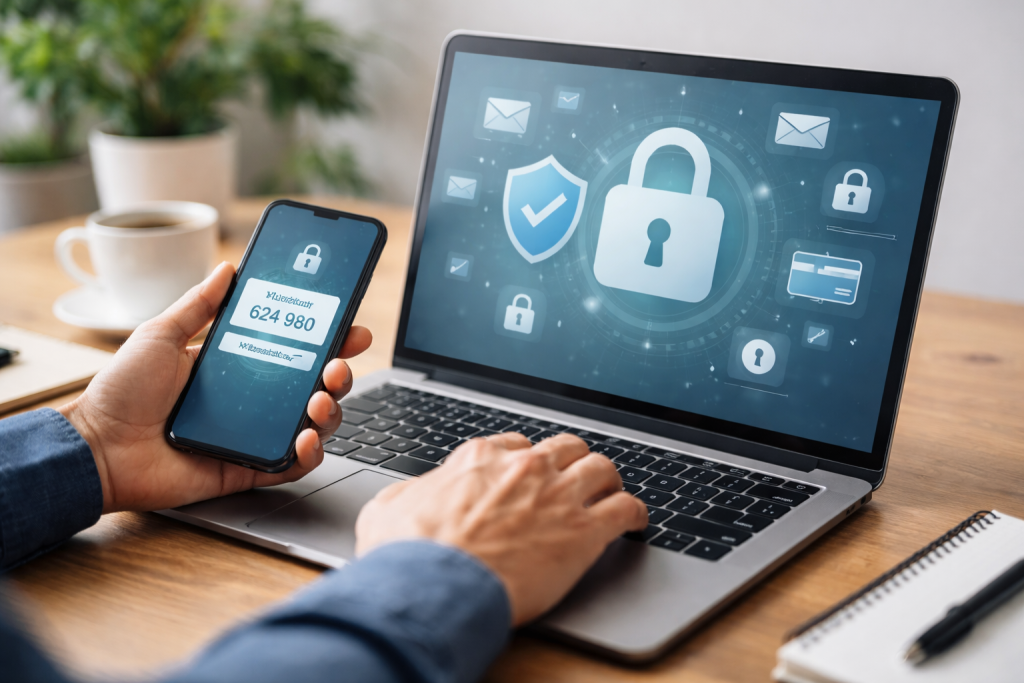
Even the strongest password can be compromised. Therefore, a secondary layer of defense is crucial. Two-factor authentication (2FA), or multi-factor authentication (MFA), acts as this critical barrier, requiring a second piece of information in addition to your password to verify your identity. This extra step drastically reduces the likelihood of unauthorized access, even if your password falls into the wrong hands.
Implementing 2FA can take various forms. The most common involves a one-time code sent to your registered mobile device via SMS or an authentication app (like Google Authenticator or Authy). Other methods include physical security keys (like YubiKey), biometric data (fingerprint or facial recognition), or even email verification. The underlying principle is the same: providing something you know (your password) and something you have (your phone, a physical key) or something you are (your biometrics). Enable 2FA on every service that offers it – email providers, social media platforms, banking apps, and e-commerce sites. This simple act of adding an extra layer of verification transforms a vulnerable access point into a fortified entry.
The digital world is not just a place of connection and convenience; it’s also a hunting ground for opportunistic cybercriminals. Understanding their tactics and developing a keen sense of discernment are essential skills for protecting your personal information.
The Art of Deception: Unmasking Phishing Attempts
Phishing remains one of the most prevalent and effective forms of cyberattack. It preys on human trust and a lack of critical thinking, aiming to trick individuals into divulging sensitive information or installing malicious software. Phishing attacks can manifest in various ways, from seemingly legitimate emails purporting to be from banks, government agencies, or well-known companies, to suspicious text messages (smishing) or even voice calls (vishing).
The tell-tale signs often include a sense of urgency, threatening language, requests for personal details (passwords, credit card numbers, social security numbers), and suspicious links or attachments. Always scrutinize the sender’s email address – often, a slight variation in the domain name will betray its fraudulent nature. Hover over links before clicking to reveal the true URL, looking for inconsistencies with the purported legitimate website. Be wary of generic greetings (“Dear Customer”) instead of personalized ones, as legitimate organizations typically use your name. If in doubt, never click links or open attachments. Instead, navigate directly to the official website of the organization in question and log in there to check for any alerts or notifications. It’s far better to err on the side of caution than to fall victim to a cleverly crafted deception.
Vigilance in the Wild West: Identifying Malicious Links and Downloads
Beyond phishing emails, malicious links and downloads can lurk in unexpected places – banner ads, pop-up windows, or even seemingly harmless websites. Exercise extreme caution before clicking on any link from an unknown source or downloading files from unverified websites. Legitimate software should always be downloaded directly from the official developer’s website or trusted app stores.
Always consider the source. Is it a reputable publication? Is the website reputable? Unsolicited emails with attachments, even from seemingly known contacts, warrant skepticism. If something feels off, trust your instincts. A moment of critical assessment can prevent a significant compromise.
Security isn’t a one-time setup; it’s an ongoing practice. Like regular maintenance for a physical object, digital systems require consistent attention to remain robust against evolving threats. Neglecting software updates or using unsecured connections can create gaping holes in your digital defenses.
The Perpetual Evolution: Keeping Software and Devices Updated
Software developers constantly release updates and patches, not just to introduce new features but, crucially, to address newly discovered security vulnerabilities. These vulnerabilities, if left unpatched, can be exploited by cybercriminals to gain unauthorized access to your devices and data. Running outdated operating systems, web browsers, or applications is akin to leaving your front door unlocked in a bustling city.
Enable automatic updates whenever possible for your operating systems (Windows, macOS, iOS, Android), web browsers (Chrome, Firefox, Edge, Safari), and all installed applications. Regularly check for updates manually if automatic updates are not an option. This commitment to staying current ensures you benefit from the latest security enhancements and bug fixes, closing potential entry points for malicious actors. Your devices are only as secure as their last update.
Shielding Your Connection: The Necessity of Secure and Encrypted Networks
The manner in which you connect to the internet plays a pivotal role in the security of your data. Unsecured or unencrypted connections expose your online activities and personal information to potential interception by anyone on the same network. This is particularly critical when using public Wi-Fi networks in cafes, airports, or hotels.
Always prioritize connecting to Wi-Fi networks that are password-protected and ideally use WPA2 or WPA3 encryption. When using public Wi-Fi, assume that your traffic could be monitored. A Virtual Private Network (VPN) is an indispensable tool in these scenarios. A VPN encrypts your internet connection, creating a secure tunnel between your device and the internet, effectively shielding your online activities from snoopers. Furthermore, always look for “https://” in the website address bar, indicating a secure, encrypted connection, especially when performing sensitive transactions like online banking or shopping. The absence of the “s” (http://) signifies an unencrypted connection, which should be avoided for entering any personal information.
In the age of social media and ubiquitous online profiles, the temptation to overshare is strong. However, every piece of information voluntarily shared online, regardless of its seeming insignificance, can potentially be pieced together by malicious actors to construct a detailed profile, aiding in identity theft or social engineering attacks.
Curtailing Your Digital Footprint: Limiting Public Information Disclosure
Be judicious about the personal information you share on social media platforms, online forums, and public profiles. Consider the implications before posting your full birthdate, home address, employment history, or even specific details about your daily routine. While seemingly innocuous, these bits of information can be combined with other publicly available data to build a comprehensive picture that can be exploited.
Think about the “privacy settings” on all your social media accounts. Regularly review and adjust these settings to restrict who can see your posts, photos, and personal details. Default settings often lean towards broader visibility, so proactive adjustment is key. The less personal information freely accessible online, the less fodder there is for those with ill intentions. Cultivate a mindset of “need-to-know” when sharing information digitally.
The Invisible Watchman: Safeguarding Against Identity Theft
Beyond active sharing, be mindful of where your information resides. Many online accounts, ranging from loyalty programs to less frequently used services, may store your personal data. Periodically review these accounts, evaluating whether they are still necessary and if your information needs to remain there. Deleting old, unused accounts can significantly reduce your overall digital footprint.
Consider the “digital trash” you might be creating. Old email accounts, forgotten forum profiles, or outdated e-commerce accounts can become vulnerabilities if not properly secured or deleted. A proactive audit of your online presence can reveal forgotten data trails that could be exploited.
Even with the most robust preventative measures, vigilance must extend to monitoring for potential breaches and suspicious activities. Swift detection and response can significantly mitigate the damage caused by a security incident.
The Early Warning System: Monitoring Accounts for Suspicious Activity
Regularly monitor your financial accounts (bank statements, credit card statements) for any unauthorized transactions. Many financial institutions offer email or text alerts for unusual activity, which should be enabled. Similarly, keep an eye on your email accounts for password reset requests you didn’t initiate or unusual login notifications.
Periodically review the “logged-in devices” sections within your email, social media, and other critical accounts. Many services provide a list of devices that have recently accessed your account, along with their locations. If you see an unfamiliar device or location, it’s a strong indicator of unauthorized access, prompting an immediate password change and further investigation.
The Aftermath: Prompt Action in Case of a Breach
If you suspect your personal information has been compromised or if you receive a notification of a data breach from a service you use, act swiftly. Change your password immediately for the compromised account and any other accounts where you used the same (or similar) password. This underscores the importance of unique passwords for every service.
Consider freezing your credit if sensitive financial information may have been exposed. Report any fraudulent activity to your bank or credit card company without delay. The speed of your response can significantly limit the damage and prevent further exploitation of your personal information. Staying informed about data breaches affecting companies you interact with, often through news reports or official company statements, is also a crucial aspect of proactive protection. The digital world demands constant vigilance, and an empowered, informed user is the best defense against its inherent risks.
FAQs
1. Why is it important to use strong and unique passwords for online accounts?
Using strong and unique passwords for online accounts is important because it helps prevent unauthorized access to your personal information. Strong passwords are harder for hackers to guess or crack, and using unique passwords for each account ensures that if one account is compromised, the others remain secure.
2. What is two-factor authentication and why should I enable it for my accounts?
Two-factor authentication adds an extra layer of security to your accounts by requiring a second form of verification, such as a code sent to your phone, in addition to your password. This helps prevent unauthorized access even if your password is compromised, making it an important security measure for protecting your personal information online.
3. How can I recognize and avoid phishing attempts online?
Phishing attempts often come in the form of deceptive emails, messages, or websites that appear to be from legitimate sources, but are actually designed to trick you into revealing personal information. To avoid falling victim to phishing, be wary of unsolicited requests for personal information, double-check the sender’s email address, and avoid clicking on suspicious links or attachments.
4. Why is it important to keep my software and devices updated for online security?
Keeping your software and devices updated is important for online security because updates often include patches for security vulnerabilities that hackers could exploit. By staying up to date with software and device updates, you can help protect your personal information from potential security threats.
5. How can I use secure and encrypted connections to protect my personal information online?
Using secure and encrypted connections, such as HTTPS, when browsing the web helps protect your personal information from being intercepted by unauthorized parties. Look for the padlock icon in your browser’s address bar and ensure that websites you visit use secure connections to help safeguard your online activities.

Welcome to The Tech Instruct, your trusted platform for simple, practical, and beginner-friendly technology learning.