
The Ultimate Guide to Syncing Data Across Devices: A Must-Read for Tech Enthusiasts
The digital landscape is intricately woven into the fabric of our daily lives. From the photos we capture to the documents we meticulously craft, our data is everywhere. Yet, the constant juggling between a smartphone, a tablet, a laptop, and perhaps even a desktop computer can feel like a perpetual game of digital hide-and-seek. This is where the magic of data syncing comes into play, transforming scattered information into a cohesive, accessible digital ecosystem. For the discerning tech enthusiast, understanding and mastering data syncing is not just a convenience; it’s a fundamental aspect of modern digital stewardship.
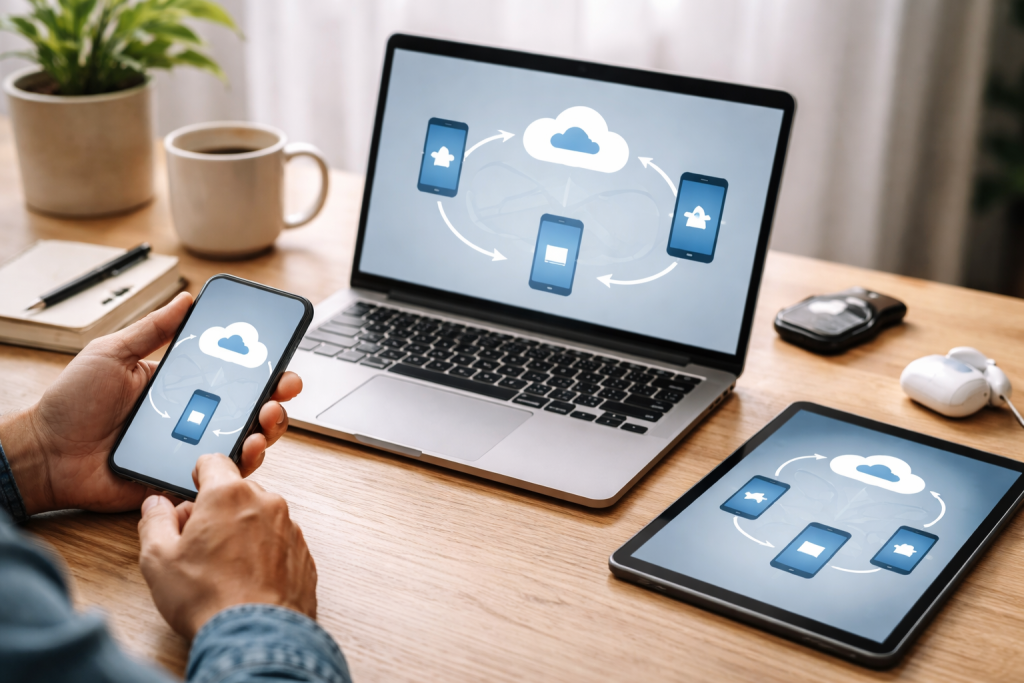
In today’s interconnected world, the ability to seamlessly access and work with our data across multiple devices is no longer a luxury, but a necessity. Data syncing ensures that the document you started editing on your laptop is instantly available and up-to-date on your tablet when you’re on the go. It means that a photo you took on your phone is ready to be shared or edited on your computer without any manual transfer. This fluid exchange eliminates the frustration of working with outdated versions and the time wasted on redundant file transfers.
Contents
- 0.1 Maintaining Productivity and Workflow Continuity
- 0.2 Eliminating Data Silos and Redundancy
- 0.3 Facilitating Collaboration and Sharing
- 0.4 Direct Device-to-Device Synchronization
- 0.5 Local Network Synchronization
- 0.6 Wireless Synchronization Protocols
- 0.7 Cloud-Based Synchronization Services
- 0.8 Centralized Data Management and Accessibility
- 0.9 Automatic Backup and Disaster Recovery
- 0.10 Scalability and Cost-Effectiveness
- 0.11 Employing Strong, Unique Passwords
- 0.12 Enabling Two-Factor Authentication (2FA)
- 0.13 Keeping Software and Devices Updated
- 0.14 Understanding Encryption and Privacy Policies
- 0.15 Leveraging Universal Cloud Storage Services
- 0.16 Utilizing Cross-Platform Applications and Their Syncing Features
- 0.17 Employing Device-Specific Syncing Solutions for Integrated Ecosystems
- 0.18 Decentralized and Peer-to-Peer Syncing
- 0.19 AI-Powered Intelligent Syncing
- 0.20 Enhanced Security with Zero-Knowledge Encryption
- 0.21 Seamless Interoperability and Standardized Protocols
- 0.22 Photography and Multimedia Management
- 0.23 Document Creation and Editing
- 0.24 Personal Finance and Budgeting
- 0.25 Entertainment and Media Consumption
- 0.26 Health and Fitness Tracking
- 1 FAQs
- 1.1 1. What is data syncing and why is it important?
- 1.2 2. What are the different methods for syncing data across devices?
- 1.3 3. What role does cloud storage play in data syncing?
- 1.4 4. How can data security be ensured during the syncing process?
- 1.5 5. How can data be synced across different operating systems?
Maintaining Productivity and Workflow Continuity
Imagine this: you’re engrossed in writing a crucial report on your home desktop. Later that day, you need to make a quick revision while commuting. If your data isn’t synced, you’d have to find a way to transfer the file to your laptop or another device, potentially introducing version control issues or, worse, losing your progress. Data syncing bridges this gap, allowing you to pick up exactly where you left off, minimizing downtime and maximizing your productive hours. This continuity is paramount for professionals, students, and anyone who relies on their digital tools to get things done.
Eliminating Data Silos and Redundancy
Without syncing, your data can become fragmented, residing in isolated pockets across your devices. This creates “data silos,” making it difficult to get a comprehensive overview of your digital assets and often leading to accidental duplicates or the creation of multiple, slightly different versions of the same file. Syncing consolidates your information, ensuring a single source of truth, and significantly reduces the likelihood of data loss due to forgetting to back up a specific device or mistakenly deleting an important file from one location while it still exists elsewhere.
Facilitating Collaboration and Sharing
For teams and individuals working collaboratively, data syncing is an indispensable tool. Shared documents, project files, and creative assets can be kept in perfect harmony across all team members’ devices, regardless of their location. This real-time synchronization fosters efficient teamwork, allowing everyone to work on the latest version of a file, reducing miscommunication and accelerating project completion. The ease of sharing files through synced cloud storage further streamlines collaborative efforts.
The journey of data syncing is paved with a variety of approaches, each offering its unique strengths and catering to different needs and technical proficiencies. From the simplicity of direct transfers to the sophisticated automation of cloud-based solutions, understanding these methods empowers you to choose the optimal strategy for your digital life.
Direct Device-to-Device Synchronization
This method typically involves connecting two devices directly, often via USB cables or, in some cases, Wi-Fi Direct or Bluetooth. For instance, transferring photos from a camera to a laptop or syncing contacts between two phones using proprietary software. While straightforward for specific tasks, it’s manual, time-consuming, and not scalable for managing data across numerous devices.
Local Network Synchronization
Synchronization Over a local area network (LAN) allows devices within the same network to share and sync data. Tools like network-attached storage (NAS) devices or specific syncing applications can facilitate this. This is a good option for users who wish to keep their data within their own network for privacy or security reasons, offering faster transfer speeds than internet-based methods for large files.
Wireless Synchronization Protocols
Various wireless protocols enable data syncing without physical cables. This includes syncing between smartphones and computers via Bluetooth for smaller files, or using Wi-Fi for more substantial data transfer. Many manufacturer-specific applications leverage these protocols to sync media, contacts, and app data.
Cloud-Based Synchronization Services
These are by far the most prevalent and versatile methods for data syncing today. Services like Google Drive, Dropbox, iCloud, and OneDrive create a virtual drive on your devices. Any file added to this drive on one device is automatically uploaded to the cloud and then downloaded to all other linked devices, ensuring that your data is always current and accessible from anywhere with an internet connection.
Cloud storage has revolutionized data syncing, transforming it from a clunky technical endeavor into an almost invisible, seamless experience. It acts as the central hub, the reliable repository where all your digital assets reside and from which they are distributed to your various devices.
Centralized Data Management and Accessibility
Cloud storage provides a single, unified location for your data. Instead of scattering files across different hard drives and memory cards, you consolidate them in the cloud. This not only simplifies organization but also grants you unprecedented access. Whether you’re on a business trip, a vacation, or simply in a different room, your files are just a few clicks or taps away, always present and up-to-date.
Automatic Backup and Disaster Recovery
A significant benefit of cloud syncing is the inherent backup functionality. As data is uploaded to the cloud, it’s being backed up. In the unfortunate event of a device failure, theft, or accidental deletion, your data remains safe in the cloud, readily available for restoration. This peace of mind is invaluable, protecting against data loss that could otherwise have devastating consequences.
Scalability and Cost-Effectiveness
Cloud storage solutions are highly scalable. As your data needs grow, you can effortlessly increase your storage capacity without needing to purchase and manage new physical hardware. Most providers offer tiered pricing, allowing you to pay only for the storage you need. This flexibility and cost-effectiveness make it an attractive option for individuals and businesses alike.
While the convenience of data syncing is undeniable, the digital interconnectedness it fosters also necessitates a vigilant approach to data security. Protecting your sensitive information throughout the syncing process is paramount.
Employing Strong, Unique Passwords
The first line of defense for any online account, including your cloud storage services, is a robust password. Opt for long, complex passwords that combine uppercase and lowercase letters, numbers, and symbols. Crucially, use a unique password for each service to prevent a single breach from compromising all your accounts. Consider using a reputable password manager to generate and store these complex passwords securely.
Enabling Two-Factor Authentication (2FA)
Two-factor authentication adds a critical layer of security by requiring more than just a password for access. Typically, this involves a code sent to your phone or generated by an authenticator app, in addition to your password. Even if an attacker obtains your password, they would still need access to your second authentication factor to gain entry, significantly reducing the risk of unauthorized access.
Keeping Software and Devices Updated
Outdated software and operating systems can harbor vulnerabilities that attackers can exploit. Ensure that all your devices, operating systems, and syncing applications are regularly updated with the latest security patches. Manufacturers consistently release updates to address known security flaws. Enable automatic updates whenever possible to maintain a strong security posture without constant manual intervention.
Understanding Encryption and Privacy Policies
Before entrusting your data to a cloud service, take the time to understand their encryption policies. End-to-end encryption, where data is encrypted on your device and only decrypted on the recipient’s device (or at the point of access), offers the highest level of security. Familiarize yourself with the provider’s privacy policy to understand how your data is handled, stored, and potentially shared. Choose services that have a strong commitment to user privacy.
The modern tech landscape is a diverse ecosystem of operating systems, with users often employing a mix of Windows, macOS, iOS, and Android. Syncing data seamlessly across these platforms can seem like a daunting challenge, but it’s entirely achievable with the right strategies.
Leveraging Universal Cloud Storage Services
As mentioned earlier, cloud storage services are the true champions of cross-platform syncing. Platforms like Google Drive, Dropbox, OneDrive, and iCloud are designed to be accessible across virtually all major operating systems. By installing their respective desktop and mobile applications on your devices, you create a unified environment where files added to a synced folder on your Windows PC will automatically appear on your Mac, iPhone, and Android tablet, and vice-versa.
Utilizing Cross-Platform Applications and Their Syncing Features
Many applications are developed with cross-platform compatibility in mind. Note-taking apps like Evernote, productivity suites like Microsoft Office 365, and password managers like LastPass all offer their own robust syncing mechanisms. When you create or edit content within these applications on one device, the changes are propagated to all your other devices where the app is installed and logged in with the same account. This is particularly effective for syncing specific types of data, such as notes, emails, or documents created within a particular application.
Employing Device-Specific Syncing Solutions for Integrated Ecosystems
If you are deeply invested in a particular ecosystem, such as Apple or Google, their native syncing solutions can be highly effective. iCloud seamlessly syncs photos, documents (via iCloud Drive), app data, and even settings across all Apple devices. Similarly, Google’s suite of services (Google Drive, Google Photos, Gmail) is exceptionally well-integrated for Android and ChromeOS users, and also works reliably across other platforms via web interfaces and dedicated apps. While these are most potent within their own ecosystems, they often have compatibility with other systems through web access.
The evolution of data syncing is far from stagnant. Researchers and developers are continually pushing the boundaries, envisioning a future where data synchronization is even more intelligent, secure, and ubiquitous.
Decentralized and Peer-to-Peer Syncing
As privacy concerns grow, decentralized approaches to data syncing are gaining traction. Instead of relying on a single central server, peer-to-peer (P2P) syncing allows devices to sync data directly with each other. This can enhance security and resilience, as there’s no single point of failure or central entity to compromise. Technologies like blockchain are being explored to facilitate secure and transparent P2P data management.
AI-Powered Intelligent Syncing
Artificial intelligence is poised to play a significant role in the future of data syncing. Imagine AI that can intelligently predict what data you’ll need on a particular device and proactively sync it, optimizing storage space and battery life. AI could also play a crucial role in data anomaly detection, identifying potential security breaches or corruption in synced data before it causes significant problems.
Enhanced Security with Zero-Knowledge Encryption
The push for greater privacy is driving the development of zero-knowledge encryption solutions for cloud services. In a zero-knowledge model, the service provider has no ability to access or decrypt your data, even if they wanted to. This is achieved through advanced encryption techniques that are managed entirely on the user’s device, offering unparalleled data confidentiality.
Seamless Interoperability and Standardized Protocols
A long-term goal for data syncing is greater interoperability between different services and platforms. The development of standardized protocols could allow users to move their synced data fluidly between different cloud providers or synchronize data across a wider array of devices and applications without being locked into a single vendor’s ecosystem.
The theoretical understanding of data syncing translates into tangible improvements in countless everyday scenarios, making our digital lives smoother, more efficient, and more enjoyable.
Photography and Multimedia Management
For the avid photographer, data syncing is a game-changer. Photos taken on a smartphone can automatically sync to a cloud service, making them immediately accessible for editing on a tablet or for uploading to social media from a laptop. This eliminates the tedious process of physically transferring photos via cables or memory cards and ensures your precious memories are safely backed up.
Document Creation and Editing
Whether you’re a student working on an essay, a professional drafting a proposal, or a writer crafting a novel, data syncing means your work is never confined to a single device. Start writing on your laptop at home, then seamlessly continue editing on your tablet during your commute, or review the latest version on your desktop at the office. This fluid workflow ensures you’re always working with the most current iteration of your document.
Personal Finance and Budgeting
Many budgeting and personal finance applications utilize cloud syncing to keep your financial information updated across all your devices. This allows you to log expenses on your phone immediately after a purchase, and then review your overall budget and financial standing on your tablet or computer later on, providing a comprehensive and real-time view of your finances.
Entertainment and Media Consumption
From music playlists to e-books and audiobooks, data syncing ensures your entertainment library is always within reach. Your favorite Spotify playlist is available on your phone, headphones, and smart speaker. The e-book you’re engrossed in on your Kindle can be continued on your iPad or phone without losing your place. This creates a continuous and immersive entertainment experience.
Health and Fitness Tracking
Wearable fitness trackers and health apps rely heavily on data syncing. Your daily step count, workout logs, and sleep patterns are continuously synced from your wearable device to your smartphone app and then often to cloud-based health platforms. This provides valuable insights into your health and fitness trends, allowing for better tracking and goal achievement.
In conclusion, data syncing is an indispensable pillar of our digital existence. By understanding its importance, exploring the various methods available, prioritizing security, and embracing the future, tech enthusiasts can truly master the art of keeping their digital lives harmonized, productive, and secure across an ever-expanding array of devices.
FAQs
1. What is data syncing and why is it important?
Data syncing is the process of ensuring that the same data is available on multiple devices and is up to date. It is important because it allows users to access their information from any device, ensures consistency across devices, and facilitates collaboration and productivity.
2. What are the different methods for syncing data across devices?
There are several methods for syncing data across devices, including using cloud storage services, syncing via a local network, using synchronization software, and manual syncing through USB or other physical connections.
3. What role does cloud storage play in data syncing?
Cloud storage plays a crucial role in data syncing by providing a convenient and secure platform for storing and syncing data across multiple devices. It allows users to access their data from anywhere with an internet connection and ensures that changes made on one device are reflected on all other synced devices.
4. How can data security be ensured during the syncing process?
Data security during the syncing process can be ensured by using encryption, strong authentication methods, and choosing reputable and secure syncing services. It is also important to regularly update software and devices to patch any security vulnerabilities.
5. How can data be synced across different operating systems?
Data can be synced across different operating systems using cross-platform syncing tools and services that are compatible with multiple operating systems. These tools often utilize cloud storage to facilitate syncing across different devices and operating systems.

Welcome to The Tech Instruct, your trusted platform for simple, practical, and beginner-friendly technology learning.