
Take Control of Your Privacy: The Ultimate Guide to Managing App Permissions
In today’s interconnected world, our smartphones and other devices are extensions of ourselves, brimming with the apps that facilitate our work, social lives, and entertainment. However, this convenience comes with a significant undercurrent: our privacy. Every app we install asks for permission to access various aspects of our digital lives – our contacts, our location, our camera, even our microphone. Understanding and actively managing these app permissions is no longer a technicality; it’s a fundamental aspect of taking control of your digital identity and safeguarding your personal information. This comprehensive guide will equip you with the knowledge and practical steps necessary to navigate the complex landscape of app permissions, ensuring your privacy remains paramount.
At its core, an app permission is a request from an application to access a specific type of data or functionality on your device that it doesn’t inherently own. These permissions are designed to allow apps to perform their intended functions. For instance, a navigation app needs access to your location to provide directions, and a messaging app requires access to your contacts to allow you to send messages to people you know. However, the granularity of these permissions can be extensive, and it’s crucial to understand what each category truly entails.
Contents
- 0.1 The Spectrum of Permissions: From Essential to Invasive
- 0.2 Understanding Sensitive vs. Non-Sensitive Permissions
- 0.3 The Role of Permissions in App Functionality
- 0.4 Navigating Permission Settings on Android
- 0.5 Managing Permissions on iOS
- 0.6 The Importance of Granular Control: “While Using the App” Options
- 0.7 Understanding Permission Categories: Storage, Camera, Microphone, Location, Contacts, and More
- 0.8 The Principle of Least Privilege: Granting Only What’s Necessary
- 0.9 Be Wary of Permissions Requested During Initial Setup
- 0.10 Regular Audits: A Proactive Approach to Privacy
- 0.11 Revoking Unused Permissions: Decluttering Your Digital Footprint
- 0.12 Protecting Against Malware and Exploits
- 0.13 Preventing Data Breaches and Identity Theft
- 0.14 Safeguarding Against Unauthorized Access and Surveillance
- 0.15 The Impact of Permissions on Device Performance and Battery Life
- 0.16 Android Variations: Manufacturer Customizations and OS Versions
- 0.17 iOS: Consistency Across Devices
- 0.18 Wearables and Smart Home Devices: A Growing Concern
- 0.19 Desktop and Laptop Operating Systems: A Familiar Approach
- 0.20 Before Installation: Research and Awareness
- 0.21 During Installation: Think Critically About Each Request
- 0.22 Post-Installation: Regular Review and Proactive Management
- 0.23 Understand the “Why”: Don’t Just Say “Yes” or “No”
- 0.24 The Value Proposition of Each App
- 0.25 Understanding the Long-Term Implications
- 0.26 The Power of Choice: You Are in Control
- 1 FAQs
- 1.1 What are app permissions?
- 1.2 How do I review and manage app permissions on my device?
- 1.3 Why is it important to limit app permissions for security?
- 1.4 What are best practices for granting and revoking app permissions?
- 1.5 How can I balance convenience and privacy when making decisions about app permissions?
The Spectrum of Permissions: From Essential to Invasive
Permissions can be broadly categorized based on their necessity and potential impact on your privacy. Some permissions are fundamental for an app to operate. For example, a camera app must have camera access to function. Similarly, a fitness tracker app will need access to your motion and fitness activity data.
Understanding Sensitive vs. Non-Sensitive Permissions
Beyond essential functions, many apps request access to what are considered sensitive permissions. These include access to your location (even when the app isn’t actively in use), your microphone, your contacts, your call history, your SMS messages, your calendar, and even the ability to make phone calls on your behalf. While some apps may have legitimate reasons for these requests, others might be seeking access for data mining or targeted advertising purposes. It’s vital to scrutinize these requests and question their necessity for the app’s core functionality.
The Role of Permissions in App Functionality
It’s important to acknowledge that in many cases, granting certain permissions is essential for an app to deliver its promised features. A social media app, for instance, might need access to your camera to allow you to upload photos, and access to your microphone to enable voice messages. The challenge lies in differentiating between justifiable needs and overreaching requests. The operating system designers have implemented permission systems to act as a gatekeeper, giving users the ultimate say.
The ability to control app permissions is built directly into modern mobile operating systems, providing you with the tools to audit and adjust what each app can access. Taking the time to regularly review these settings is a proactive step towards fortifying your privacy.
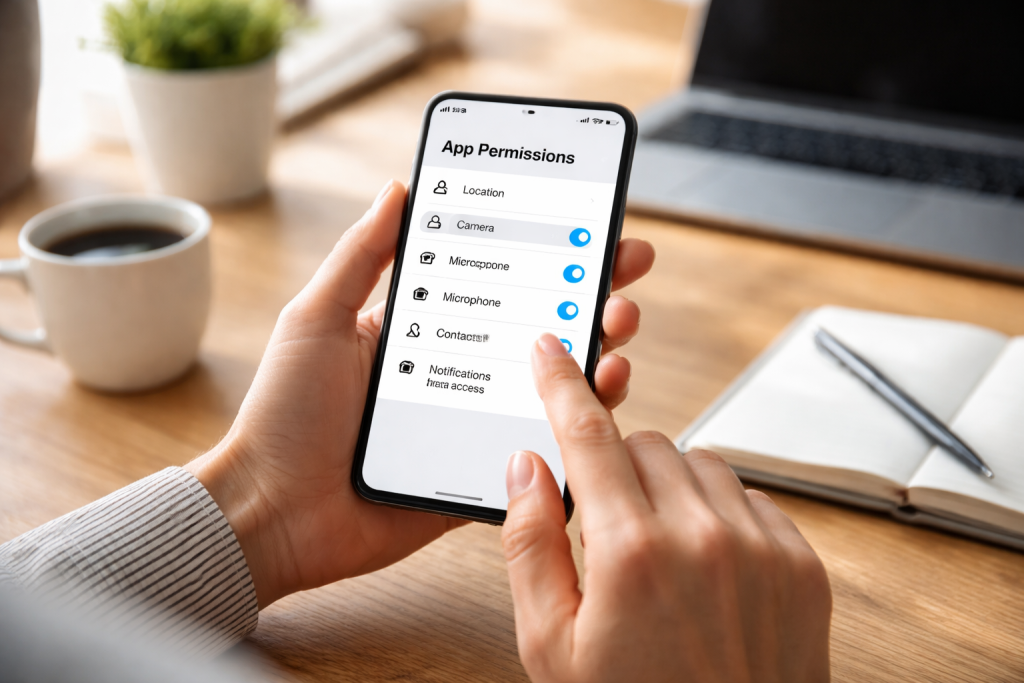
On Android devices, you can access app permissions through the Settings app. Navigate to “Apps” or “Applications,” then select the individual app you wish to manage. Within the app’s settings, you’ll find a “Permissions” section. Here, you can see a list of all the permissions the app has requested and whether they are granted or denied. You can then toggle individual permissions on or off. Many apps now offer a “Allow only while using the app” option for location or microphone access, which offers a more granular level of control.
Managing Permissions on iOS
For iOS users, the process is similarly straightforward. Go to the Settings app, and scroll down to find the list of installed applications. Tapping on an individual app will reveal a list of all the permissions it has requested. Similar to Android, you can toggle these permissions on or off. iOS also offers options like “Ask Next Time,” which prompts you each time an app attempts to access a restricted resource, providing an additional layer of awareness.
The Importance of Granular Control: “While Using the App” Options
Both Android and iOS have significantly improved their permission management by introducing the “Allow only while using the app” option for permissions like location and microphone. This is a game-changer for privacy. Instead of a blanket “always allow” or “never allow,” you can grant access only when you are actively engaged with the app. This significantly reduces the risk of apps tracking your movements or listening in on conversations when you’re not intending for them to.
Understanding Permission Categories: Storage, Camera, Microphone, Location, Contacts, and More
Each permission category serves a distinct purpose. Storage permissions allow apps to read and write files on your device. Camera and microphone permissions grant access to your device’s recording hardware. Location permissions enable apps to determine your geographical position. Contact permissions allow access to your address book. It’s crucial to understand the implications of granting each of these. For instance, an app that requests access to your contacts and location simultaneously might be using this data for targeted advertising or even more concerning purposes.
Beyond simply knowing how to manage permissions, it’s essential to adopt a strategic approach to when and how you grant them. This involves a conscious effort to question why an app needs certain access and to be mindful of the data you’re sharing.
The Principle of Least Privilege: Granting Only What’s Necessary
The overarching principle for managing app permissions should be the “principle of least privilege.” This means granting an app only the minimum permissions it requires to perform its core functions. If a simple note-taking app asks for access to your contacts or microphone, it’s a red flag. Question that request. In most cases, you can decline it, and the app will still work perfectly well for its intended purpose.
Be Wary of Permissions Requested During Initial Setup
Many apps request an extensive list of permissions during their initial setup. This is often the time when users are most eager to get started and may click “Allow” without much thought. Take your time during this phase. Read through each permission request. If you’re unsure, it’s better to decline and research the app’s legitimacy and its actual needs later. You can always grant permissions after the initial setup if you find they are indeed necessary.
Regular Audits: A Proactive Approach to Privacy
Your privacy needs may change, and so may the intentions of app developers. Therefore, it’s a good practice to conduct regular audits of your app permissions. Set a reminder for yourself – perhaps once a month – to go through your device’s permission settings. Review apps you haven’t used in a while. Have they started requesting new permissions? Are there any permissions granted to apps that you no longer feel comfortable with? This proactive approach can catch potential privacy breaches early.
Revoking Unused Permissions: Decluttering Your Digital Footprint
Just as you uninstall apps you no longer use, you should also revoke permissions from apps that are no longer relevant or that you don’t fully trust. Even if an app is installed, if it’s not actively being used, it shouldn’t have persistent access to your sensitive data. Regularly decluttering your permissions list is akin to tidying up your physical living space – it removes unnecessary clutter and potential points of vulnerability.
The connection between app permissions and your device’s security is undeniable. Overly permissive apps can create significant security risks, turning your device into an open door for malicious actors or invasive data collection.
Protecting Against Malware and Exploits
Malicious apps often exploit broad permissions to gain access to sensitive information or to deploy malware. If a seemingly innocent game requests access to your contacts, SMS messages, and location, it might be a sophisticated phishing tool or a data-gathering trojan. Limiting permissions makes it harder for these rogue applications to achieve their harmful objectives.
Preventing Data Breaches and Identity Theft
When apps have access to your personal data, they become potential targets for data breaches. If a popular app suffers a security vulnerability, and it has access to your contact list, email address, and location history, that information could be exposed. This can lead to identity theft, targeted scams, and a host of other privacy violations. The less data an app has access to, the less damage can be done if it’s compromised.
Imagine an app that can secretly access your microphone or camera. Without proper permission management, such an app could be used for unauthorized surveillance, capturing audio or video recordings without your knowledge or consent. Limiting these permissions is a crucial step in preventing such invasive monitoring.
The Impact of Permissions on Device Performance and Battery Life
While not directly a privacy concern, overly permissive apps can also impact your device’s performance and battery life. Apps constantly accessing location data in the background, for instance, can drain your battery significantly. Limiting these permissions can lead to a more efficient and responsive device.
While the core principles of app permission management remain consistent, the specific interfaces and features can vary across different operating systems and device types. Adapting your approach to each platform ensures comprehensive privacy protection.
Android Variations: Manufacturer Customizations and OS Versions
Android is an open-source platform, and manufacturers like Samsung, Google, OnePlus, and others often add their own skins and customizations on top of the core Android operating system. This can lead to slight variations in how app permission settings are accessed and presented. Furthermore, older versions of Android may have less granular control over permissions compared to the latest releases. Familiarizing yourself with the specific interface of your Android device is therefore important.
iOS: Consistency Across Devices
Apple’s iOS ecosystem tends to offer a more standardized experience across its devices, including iPhones and iPads. The interface for managing app permissions is largely consistent, making it easier for users to navigate regardless of which iOS device they are using. This uniformity simplifies the learning curve and provides a reliable framework for privacy management.
Wearables and Smart Home Devices: A Growing Concern
With the proliferation of smartwatches, fitness trackers, and smart home devices, the landscape of app permissions is expanding. These devices often have unique sensors and access points related to your health, your environment, and your daily routines. It’s crucial to apply the same scrutiny to the companion apps on your smartphone that manage these devices. Understand what data they are collecting, why they need it, and manage their permissions accordingly. For instance, a smart speaker’s microphone is always listening for wake words, but it should not be actively recording and transmitting general conversations without explicit consent.
Desktop and Laptop Operating Systems: A Familiar Approach
While mobile devices are the primary focus for app permission discussions, desktop and laptop operating systems also have similar concepts. Applications installed on Windows or macOS can request access to your files, camera, microphone, and other system resources. Modern operating systems provide controls within their security and privacy settings to manage these permissions, often asking for explicit approval when an application attempts to access sensitive areas for the first time.
Developing a consistent and mindful approach to managing app permissions is key to maintaining a strong privacy posture. These best practices will help you make informed decisions and keep your digital life secure.
Before Installation: Research and Awareness
Before you even download an app, take a moment to research it. Read reviews, check the developer’s reputation, and visit their website to understand their privacy policy. If an app has a significant number of negative reviews related to privacy concerns or excessive permissions, it’s a strong indicator to steer clear. Being informed before installation can save you a lot of trouble later.
During Installation: Think Critically About Each Request
As mentioned earlier, don’t blindly click “Allow” during app setup. Pause and consider each permission. Ask yourself: “Does this app genuinely need this access to function as advertised?” If the answer is unclear, err on the side of caution and decline. You can always revisit the permission settings later if you find the app’s functionality is compromised without it.
Post-Installation: Regular Review and Proactive Management
Make app permission management a regular habit. Schedule a time to review your permissions periodically. Uninstall apps you no longer use and simultaneously revoke any permissions they had. For apps you still use, ensure that the permissions granted are still necessary and appropriate. This proactive approach is far more effective than reacting to a privacy incident after it has occurred.
Understand the “Why”: Don’t Just Say “Yes” or “No”
When faced with a permission request, try to understand the underlying reason. If a photo editing app asks for storage access, it’s to save your edited photos. If a social media app asks for camera access, it’s to upload pictures. But if a simple calculator app asks for your location, alarm bells should ring. Understanding the “why” behind a permission request empowers you to make a more informed decision.
The digital world often presents a trade-off between convenience and privacy. Many apps offer features that are incredibly useful, but these features may come at the cost of granting access to your personal data. The goal is not to eliminate all app permissions, which would render many apps useless, but to strike a healthy balance and make conscious choices.
The Value Proposition of Each App
Before granting extensive permissions, consider the overall value proposition of the app. Is the convenience or functionality it offers truly worth the potential privacy risks? For a navigation app that gets you to your destination efficiently, granting location access is a reasonable exchange. However, for a game that offers minimal entertainment value, granting access to your contacts and microphone might be an unnecessary risk.
Understanding the Long-Term Implications
Digital footprints are persistent. The data collected by apps can be stored, analyzed, and potentially shared for years to come. Making informed decisions about app permissions involves considering the long-term implications of the data you are sharing. Think about how that data could be used in the future, even if the current app developer has honorable intentions.
The Power of Choice: You Are in Control
Ultimately, the power lies with you. Modern operating systems have empowered users with the ability to control app permissions. It’s your digital life, and you have the right to decide who has access to your personal information. This guide has provided you with the knowledge and tools to exercise that control effectively. By understanding app permissions, regularly reviewing them, and making informed decisions, you can take significant steps towards protecting your privacy and navigating the digital world with confidence. Embrace the power to control your digital footprint and ensure your privacy remains a priority in this increasingly connected age.
FAQs
What are app permissions?
App permissions are settings that allow or deny an app access to certain features or data on your device. These permissions can include access to your camera, microphone, location, contacts, and more.
How do I review and manage app permissions on my device?
To review and manage app permissions on your device, go to the settings menu and look for the “Apps” or “Applications” section. From there, you can select individual apps and adjust their permissions as needed.
Why is it important to limit app permissions for security?
Limiting app permissions is important for security because it reduces the risk of apps accessing sensitive data or features without your knowledge. By only granting necessary permissions, you can better protect your privacy and personal information.
What are best practices for granting and revoking app permissions?
Best practices for granting and revoking app permissions include regularly reviewing the permissions of your installed apps, only granting permissions that are necessary for the app to function, and revoking permissions for apps that no longer need them.
How can I balance convenience and privacy when making decisions about app permissions?
To balance convenience and privacy when making decisions about app permissions, consider the necessity of each permission for the app’s functionality, the potential privacy implications, and whether there are alternative apps with more limited permissions.

Welcome to The Tech Instruct, your trusted platform for simple, practical, and beginner-friendly technology learning.